Direct answer
Evaluate Cline first when a direct editor-agent loop with fewer workflow modes matches the team. Evaluate Roo Code first when role-oriented modes and deeper workflow customization are required. In both cases, hold the model endpoint, repository, and permission boundary constant; extension descriptions do not prove full compatibility.
Key takeaways
- Fix model and API conditions before comparing client behavior.
- Mode count is not a quality score; ownership and clarity matter.
- An MCP connection is incomplete until permissions and side effects are tested.
- Extension storage, credentials, and auto-approval rules require review.
Key facts
| Fact | Verified value | Evidence |
|---|---|---|
| Cline product form | Cline documents an autonomous coding agent inside the editor. | View source |
| Cline MCP | Cline publishes a dedicated MCP documentation section. | View source |
| Roo Code product form | Roo Code maintains official documentation for its editor extension workflow. | View source |
| Roo Code Modes | Roo Code documents a Modes feature for organizing work. | View source |
What this guide helps you solve
Help developers using custom models or compatible APIs choose between Cline and Roo Code.
Verification scope and limits
- Evidence basis
- Official documentation
- Verification scope
- Checked official Cline and Roo Code documentation for product form, modes, and MCP entry points; the page supplies a model-neutral comparison method.
- Limits and invalidation conditions
- - Not every extension release or provider was tested.
- - No unverified CodeNodex capability is implied.
- - No pricing, rating, or market ranking is included.
Establish a shared baseline before comparing clients
Both extensions are affected by the model, endpoint, network, repository, and VS Code environment. Fix the same model ID, API root, commit, and context files so upstream differences are not attributed to the extension.
Use a dedicated test repository and low-risk task with unnecessary external tools disabled. Record extension versions and sanitized settings without placing real keys in the report.
Mode design changes how work is divided
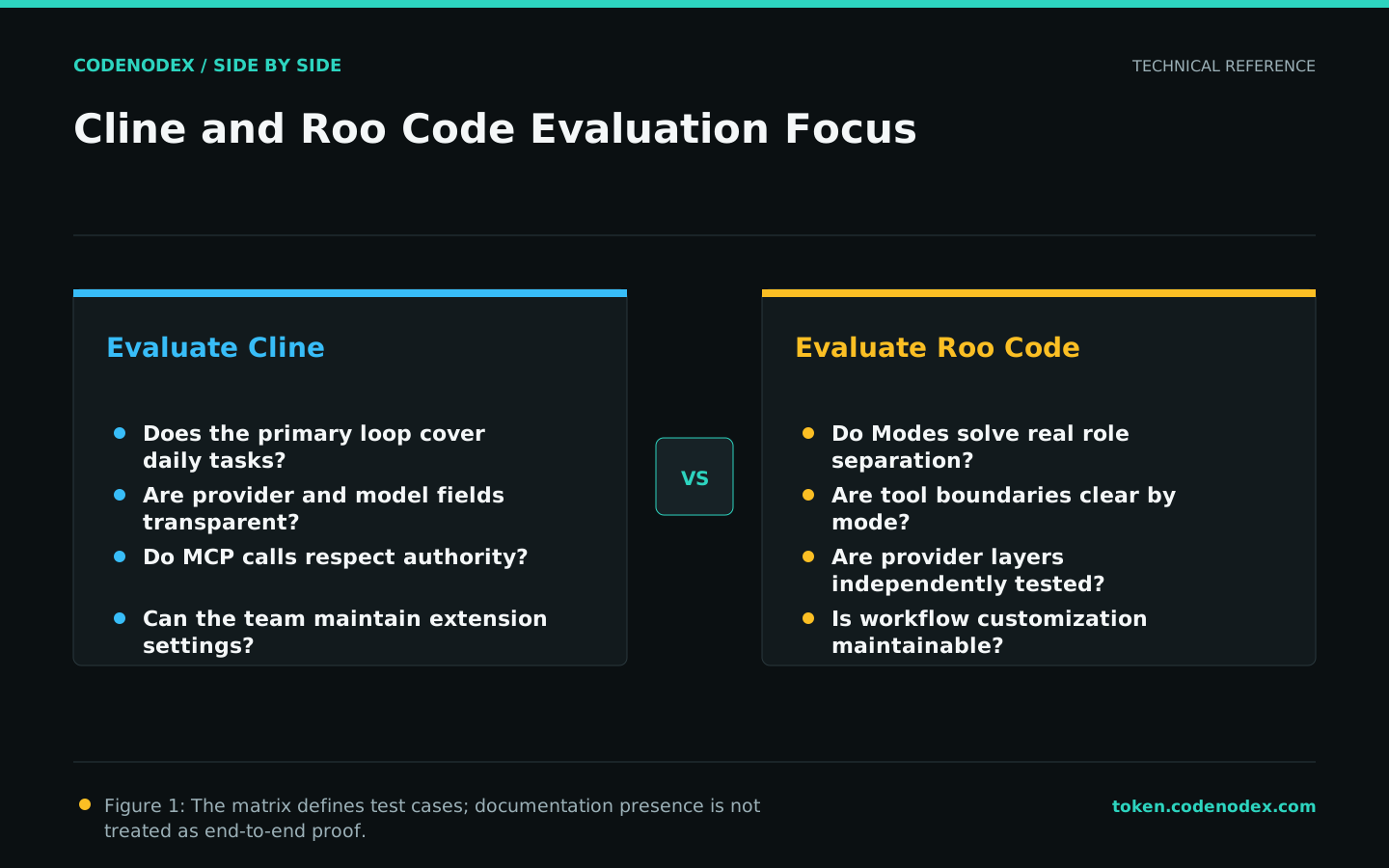
Roo Code explicitly documents Modes, which teams can evaluate when planning, implementation, or specialist responsibilities need separation. Cline can be assessed on whether its primary agent loop covers the same daily work with less setup.
Additional modes offer flexibility but also add ownership and switching cost. Each custom mode needs an explicit tool set, input boundary, and completion evidence.
Verify model integration in layers
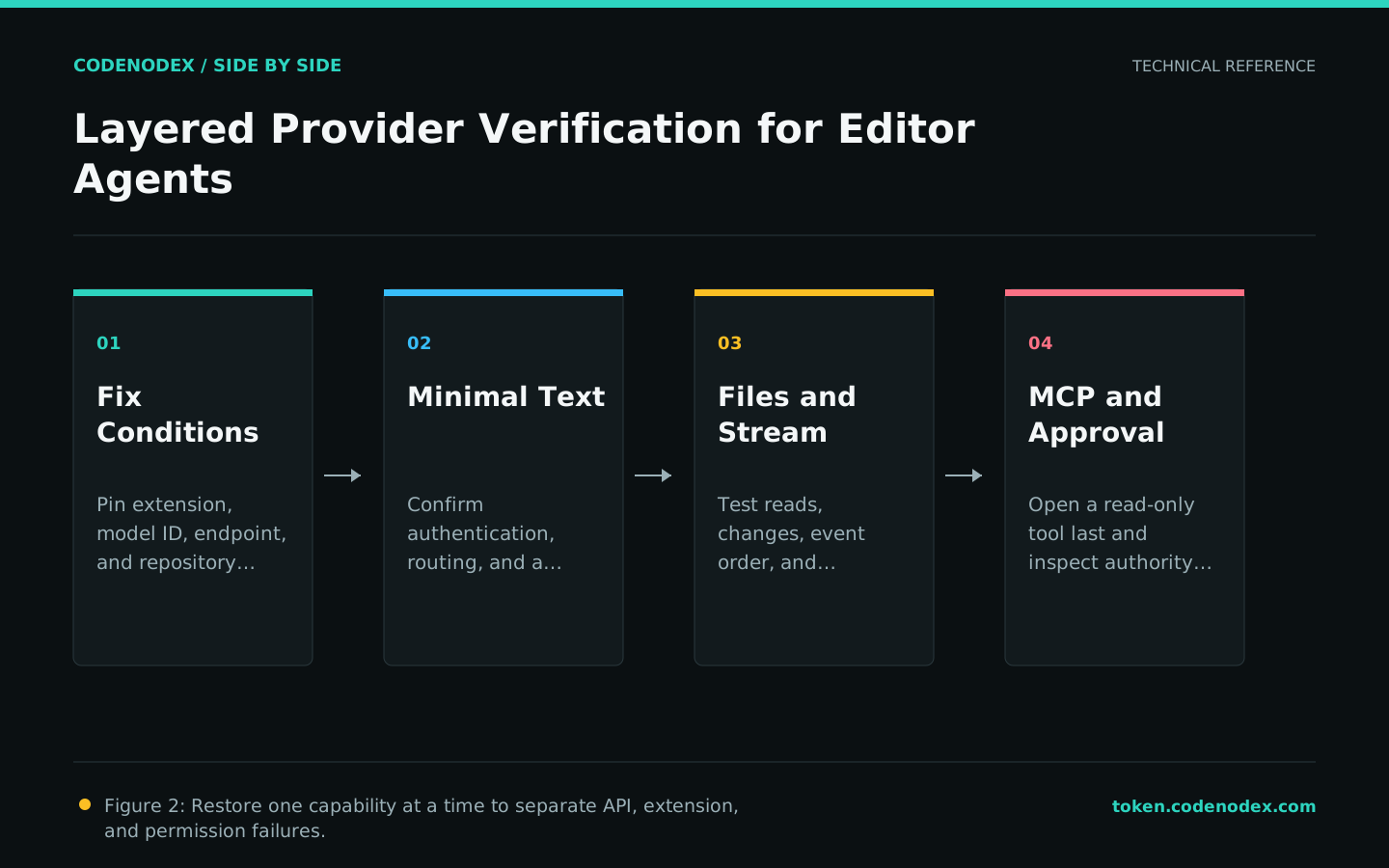
A saved configuration proves only that fields were accepted. Test discovery, minimal text, streaming, file edits, and tool calls independently, then identify whether an error comes from the client, gateway, or upstream.
A shared protocol label does not establish full feature compatibility. Model mapping, tool schemas, and event formats can produce partial behavior.
- Record the effective base URL and model ID without the secret.
- Pass non-streaming before testing streams and tools.
- Check that the client did not fall back to another provider.
Treat approval behavior and MCP as core criteria
Test prompts and rules for read-only files, writes, tests, network, and MCP tools separately. Auto-approval should remain limited to explicit, reversible, low-risk operations.
Validate MCP across configuration, process, protocol, and business action. A tool name in a list does not prove bounded data access or correct failure handling.
Decide on maintainability and delivery evidence
When the default loop already covers the work, less customization may be easier to maintain. When a team has genuine role and tool-boundary needs, Roo Code Modes warrant a focused trial. Local results remain decisive.
Keep separate branches and identical checks, then compare the final diff, tests, interventions, usage record, and unresolved risks rather than the number of visible options.
Official sources and verification scope
This guide is based on public official documentation. Commands and configuration may change between client versions, so verify the linked sources before use.
View documentation scope