Direct answer
The model window covers more than visible user text. System instructions, history, MCP tools, repository files, images, and planned output all consume the same budget.
What this guide helps you solve
Resolve context_length_exceeded and token-window errors while preserving essential task information.
Symptoms
A request is rejected for exceeding the model context window, often after a long session or large repository scan.
A new session with the same model works, while restoring history, tools, generated directories, or large files recreates the error.
Likely causes
- Conversation history and system or project instructions have accumulated.
- Large files, build output, vendored code, or generated artifacts are included.
- MCP tool definitions and JSON schemas consume substantial hidden context.
- The input leaves insufficient room for the requested output and reasoning budget.
Diagnostic procedure
- 01Establish the boundaryConfirm the current model window from the actual provider and client state.
- 02Create a baselineAccount separately for instructions, history, tools, files, and output reserve.
- 03Compare one variableCreate a clean session with one minimal task and the same model.
- 04Record decisive evidenceRestore one context source at a time to identify the dominant contributor.
find . -type f -size +1M -not -path './.git/*' -print | head -50
git status --short
# Use /context in a Claude Code session.
# For Codex tasks, name only the directories and files needed for the current issue.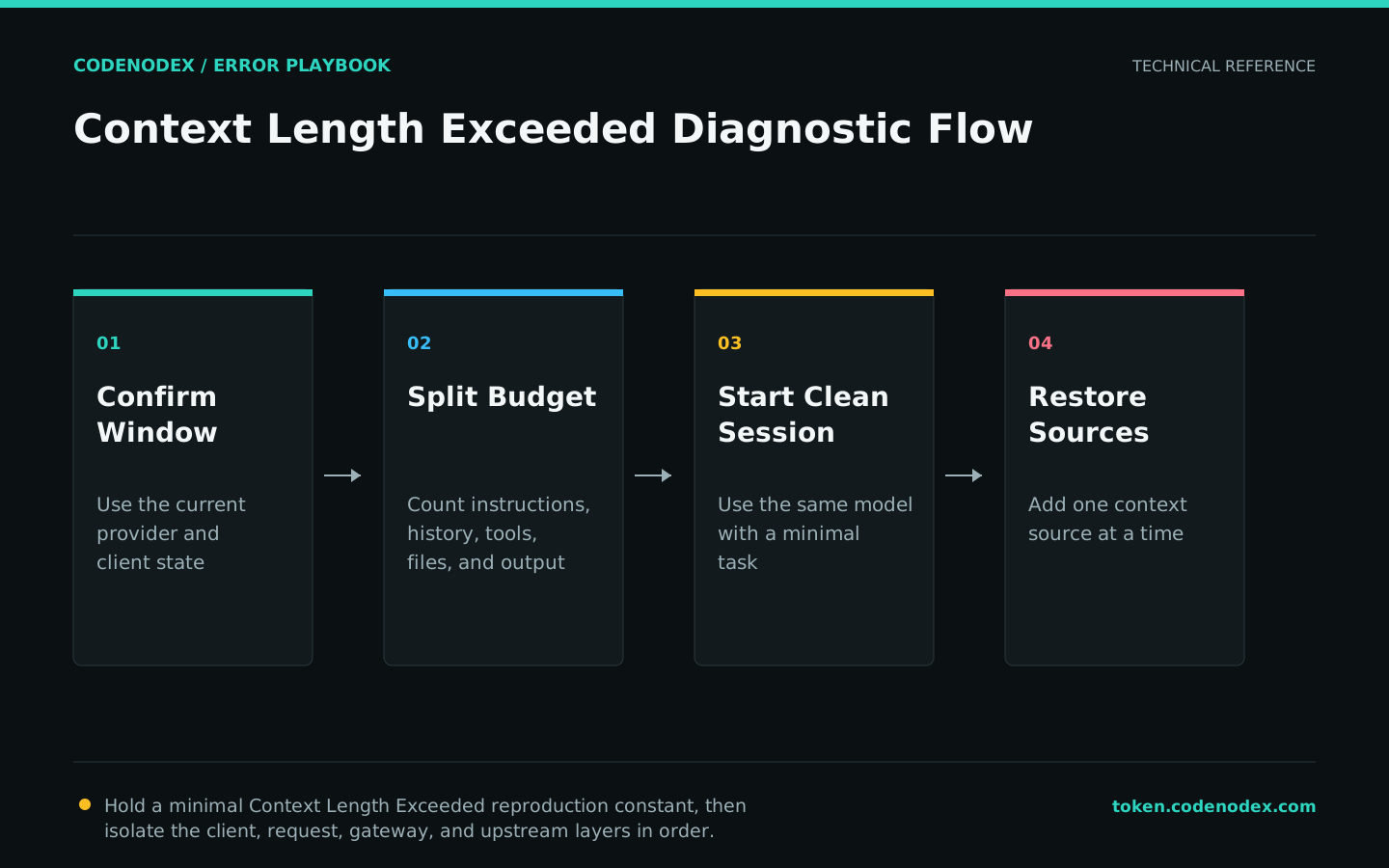
Remediation
- 01Correct the failing layerExclude generated, vendored, binary, and unrelated files from the task context.
- 02Restore required behaviorSummarize completed work into a reviewed handoff and start a focused session.
- 03Remove temporary workaroundsLoad only required tools and reserve explicit space for the expected output.
Goal: <one current goal>
Confirmed facts: <3-5 items>
Files: <exact paths>
Open risks: <assumptions to verify>
Next command: <runnable check>
Omit: <old logs, unrelated tool output, rejected options>Verification
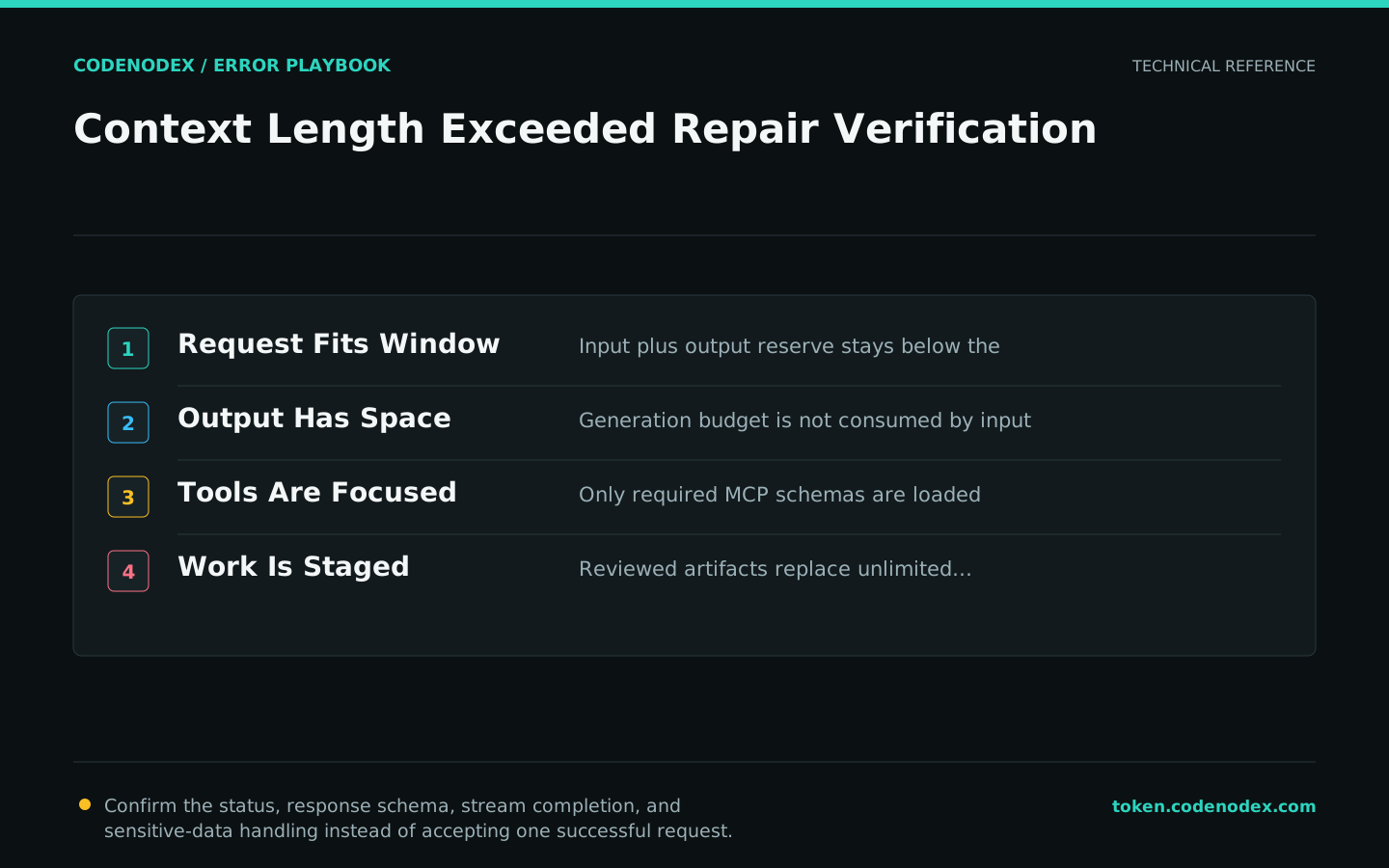
- Estimated input plus output reserve remains below the actual model limit.
- Enough output space remains for the requested result.
- Only task-relevant MCP tools and schemas are loaded.
- Long work is divided into stages with explicit artifacts instead of unlimited history.
Sensitive diagnostic data
- Context reduction must not remove security constraints or approval requirements.
- Review summaries before using them as authoritative handoffs.
- Do not upload private files merely to estimate token size.
- Escalate with model ID, context sources, approximate sizes, and a sanitized minimal task.
Official sources and verification scope
This guide is grounded in protocol specifications and official client documentation. Error text, retry headers, and configuration fields may change by service or client version; verify the sources and redact logs and request samples before sharing.
View documentation scope