Direct answer
settings.json configuration boundaries and precedence, without a version-sensitive field list.
What this guide helps you solve
Define a reviewable and debuggable configuration procedure for Claude Code.
Choose the settings file by sharing scope
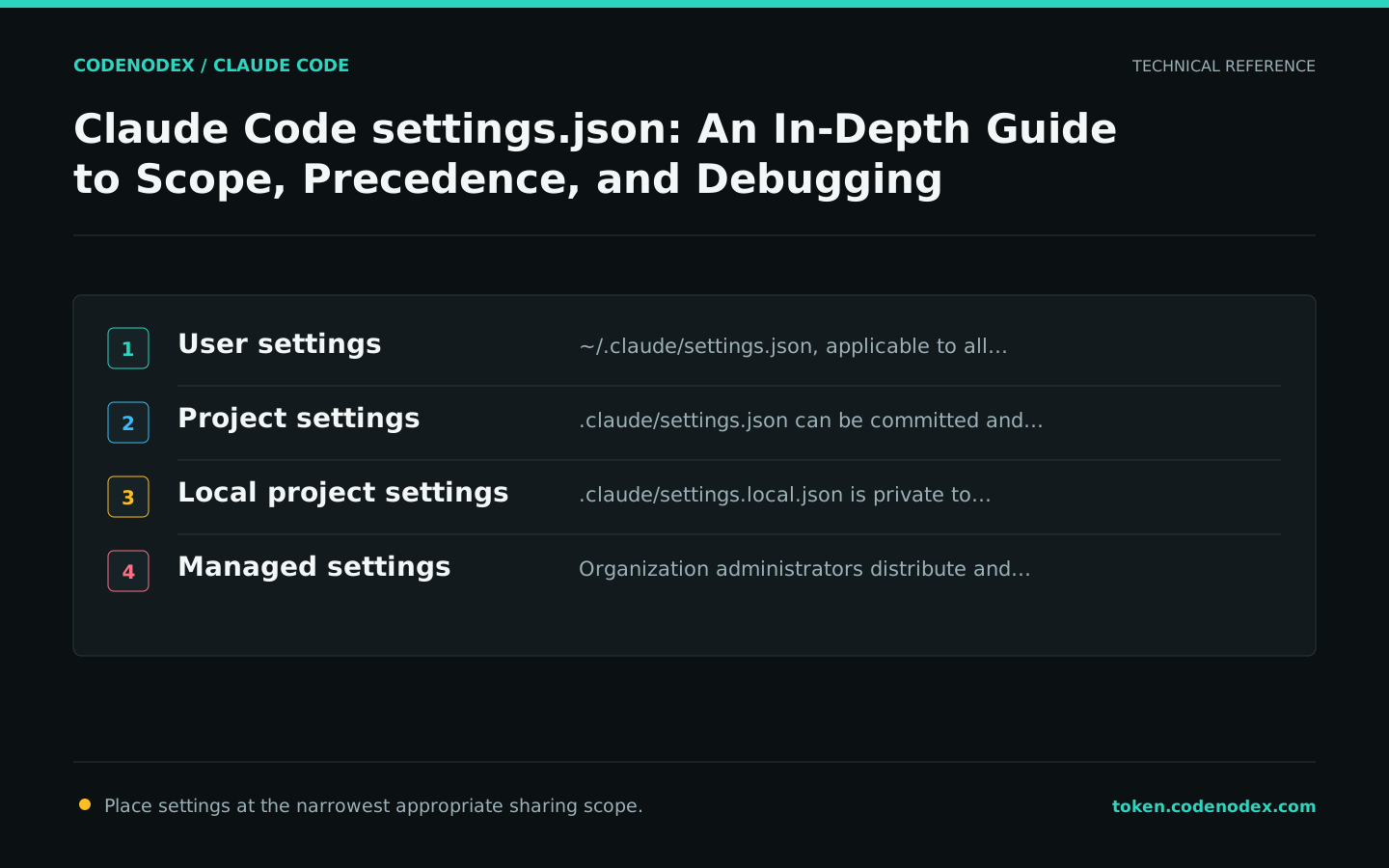
Claude Code configuration does not live in a single file. User settings apply to every project on the machine, project settings can be committed for the team, local project settings belong only to the current developer, and organizations can distribute managed policies.
Keep each field at the narrowest appropriate scope: personal themes should not enter the repository, team permission baselines should not exist only in one member's user directory, and credentials should never enter shared project files.
~/.claude/settings.json: Global user settings..claude/settings.json: Commit-ready team project settings..claude/settings.local.json: Local project overrides that should remain uncommitted.- Managed settings: Policies enforced and distributed by organization administrators.
Start with minimal valid JSON
Use standard JSON when editing settings.json manually: no comments, trailing commas, or duplicate keys. Add one group of settings at a time and run diagnostics after each save so you can identify what caused a parsing or behavior change.
The user-level example below sets only the stable update channel and a non-sensitive environment variable. A real gateway token should never appear in a shared example.
{
  "autoUpdatesChannel": "stable",
  "env": {
    "EDITOR": "code --wait"
  }
}Write deterministic permission boundaries into the configuration
Projects can define common command boundaries with allow, ask, and deny rules. Use deny for sensitive files or explicitly prohibited actions, and restrict allow to low-risk commands the team has repeatedly verified.
Permission rules do not replace the system sandbox. File access, network access, and command execution must account for both permission modes and operating-system-level isolation.
{
  "permissions": {
    "allow": ["Bash(pnpm test *)", "Bash(pnpm lint)"],
    "deny": [
      "Read(./.env)", "Edit(./.env)",
      "Read(./secrets/**)", "Edit(./secrets/**)"
    ]
  }
}Understand precedence and non-overridable managed policies
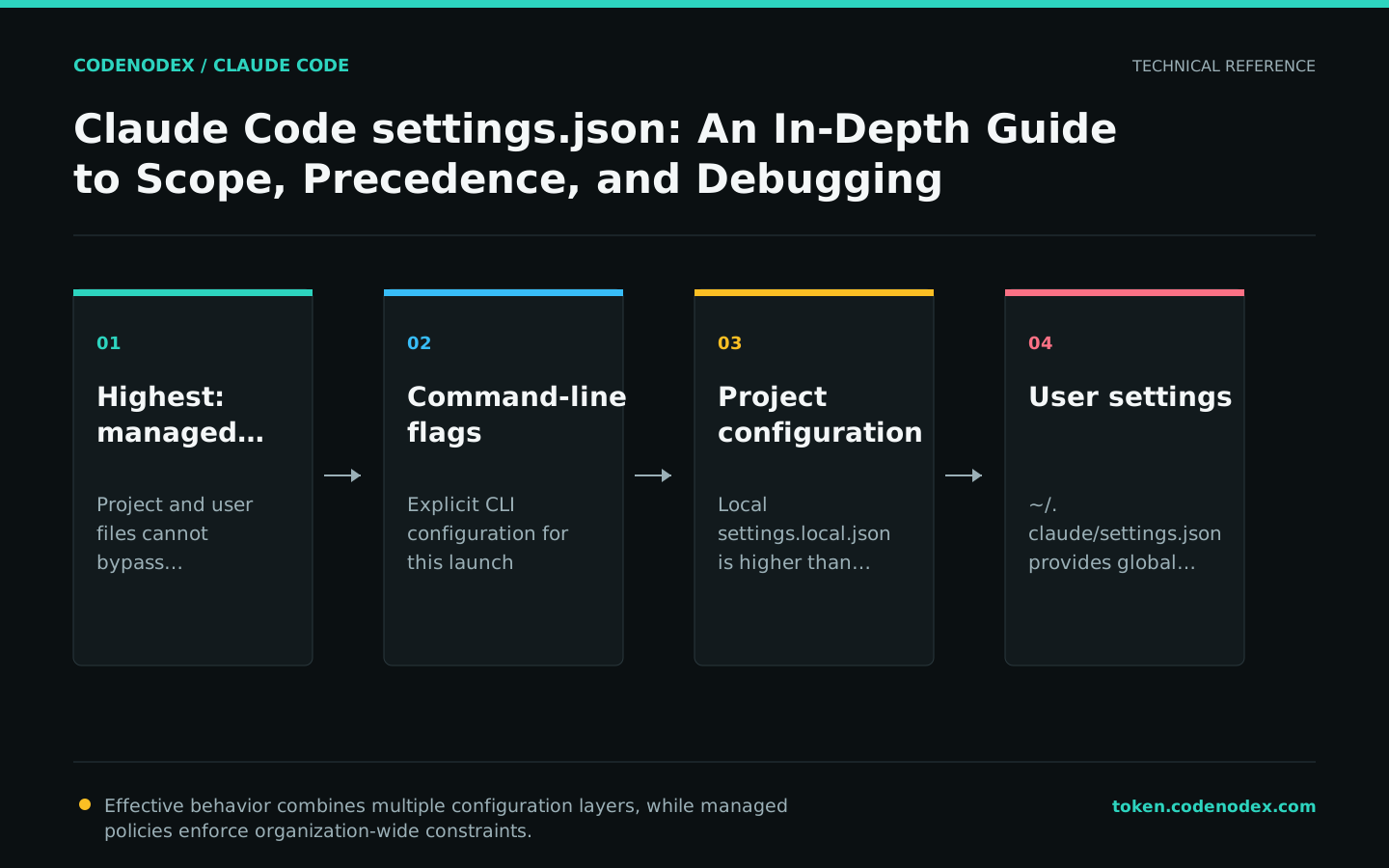
Managed settings, command-line arguments, local project settings, shared project settings, and user settings may define the same field. If a change has no effect, inspect the resolved configuration and its precedence instead of checking only one file.
Organization-managed settings enforce security and compliance requirements and cannot be overridden by lower-precedence files. Tutorials should describe this policy boundary without providing bypass instructions.
Use built-in commands to inspect the effective configuration
claude doctor checks settings file syntax and installation status; /status shows authentication and the base URL in a session; /context shows context sources such as CLAUDE.md. Inspect MCP and Hooks with /mcp and /hooks, respectively.
Back up configuration files before debugging, then narrow the problem one setting at a time. Do not change user settings, project settings, and shell environment variables simultaneously.
claude doctor
claude --debug-file /tmp/claude-settings-debug.logMake team configuration reviewable and maintainable
When committing .claude/settings.json, review permissions and Hooks as carefully as code. Project-level MCP services are typically maintained in .mcp.json at the repository root; review their sources, commands, and credential boundaries separately.
Do not hardcode frequently changing instructions in CLAUDE.md or settings. Put reusable workflows in Skills, enforced actions in Hooks, and external tool connections in MCP.
- Do not commit tokens, personal paths, or personal preferences.
- Every permission expansion must identify the affected commands and risks.
- Rerun doctor and core workflows after upgrading the CLI.
- Remove configuration that duplicates behavior the tool already handles correctly by default.
Official sources and verification scope
This guide is based on public official documentation. Commands and configuration may change between client versions, so verify the linked sources before use.
View documentation scope