Direct answer
Let Codex identify demonstrable behavioral issues first, and then verify them with repository testing and human review; do not drown out real flaws with generalized style suggestions.
What this guide helps you solve
Use the Codex CLI to review code and verify test results
Clarify the review target and baseline first
Document the current branch, working tree, and target baseline before review. Untracked files, generated files, and existing user changes may change the scope of review, and you cannot rely solely on the submission title.
For large changes, read the requirements and interface contracts first, and then review them by module or risk. Giving the entire repository to the model at once usually reduces concreteness.
git status --short --branch
git diff --stat
git diff --cached --stat
git log --oneline --decorate -n 8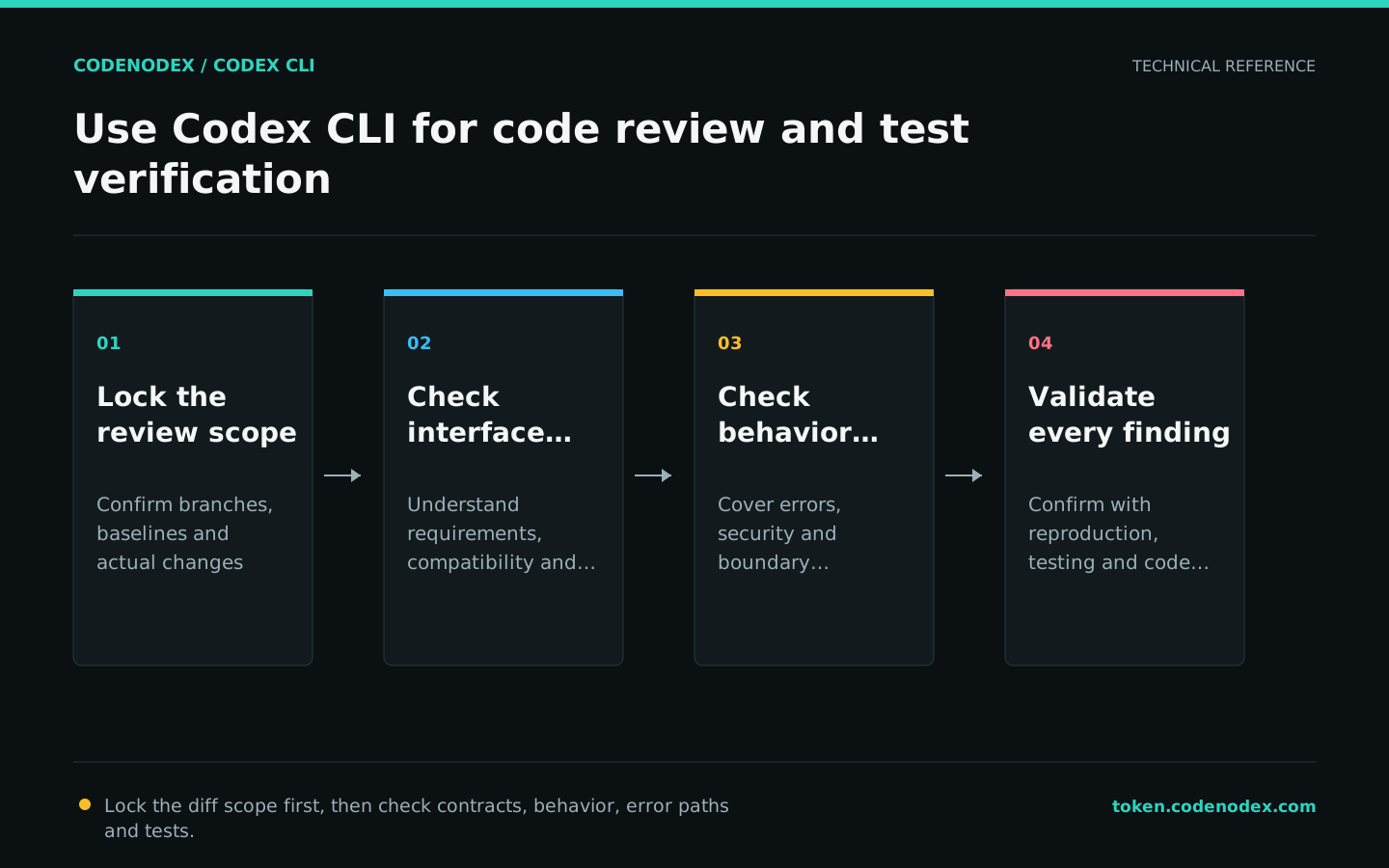
Choose the right review mode
--uncommitted reviews staged, unstaged, and untracked changes; --base compares the current branch to a specified baseline; --commit focuses on a commit. Select only the range that matches the question at a time.
The baseline branch name varies depending on the repository. Do not default to main. First check the remote default branch and task context.
codex review --uncommitted
codex review --base main
codex review --commit "$(git rev-parse HEAD)"Require findings that are specific and verifiable
Custom review instructions should identify risk areas and output criteria. Require every finding to include a file location, trigger conditions, actual impact and remediation direction, and omit preferences with no behavioral impact.
Security, concurrency, compatibility and error handling need to be combined with code path judgment. Do not give high severity levels based on pattern matching alone.
codex review --base main "Prioritize defects that can produce incorrect results, corrupt data, create security issues, or break compatibility. For each finding, give the file location, trigger, and evidence. Ignore style-only preferences and identify missing critical tests."Reproduce first, then write regression tests and fixes
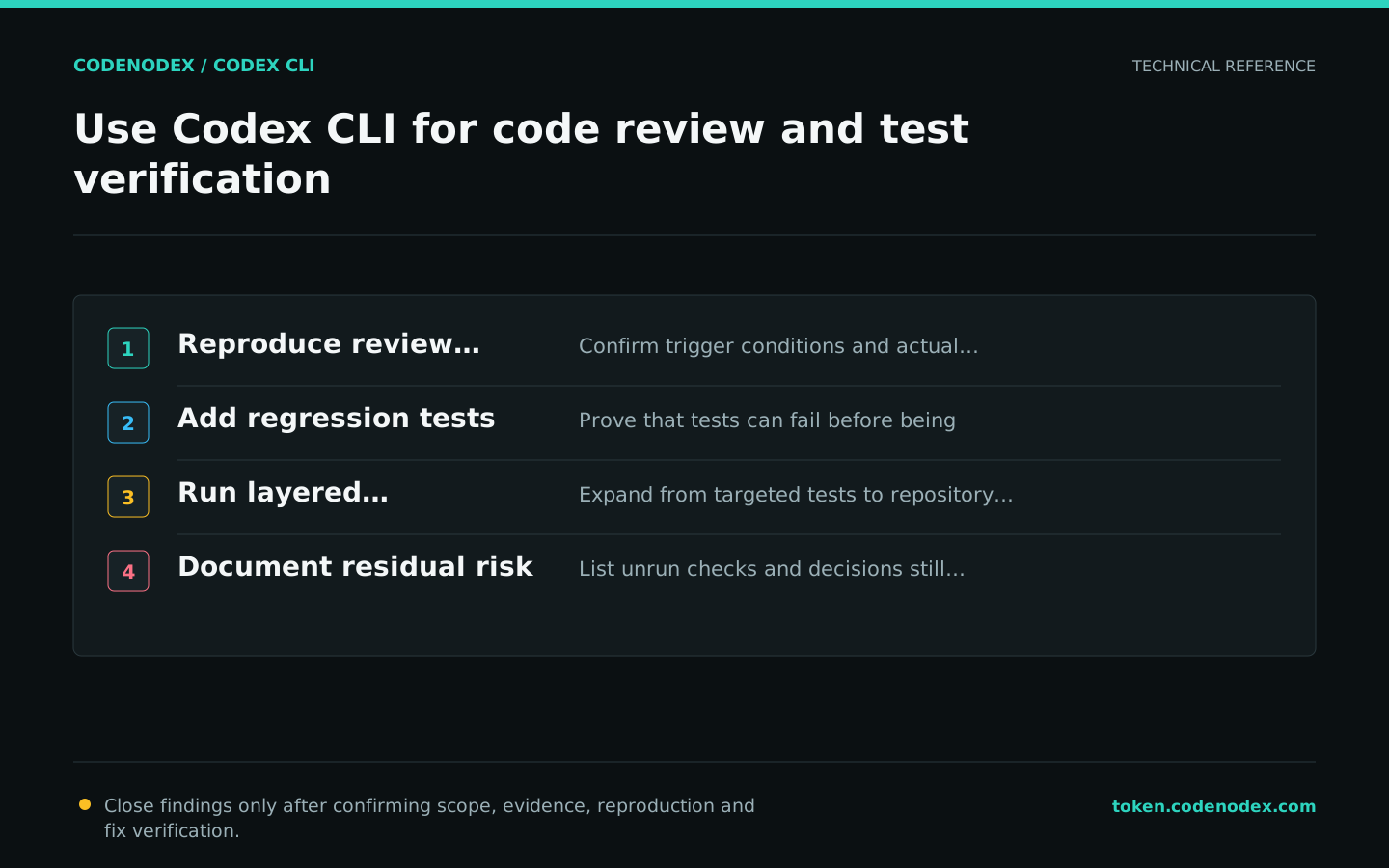
When working on defects, run the narrowest reproduction first to confirm that the test fails on the old behavior before implementing the fix. Just adding a new test that passes immediately after modification cannot prove that it covers the original problem.
Require tests to describe user-observable behavior and avoid binding private implementations. Error paths, bounds, concurrency, and rollback are often more worthwhile additions than happy paths.
codex -C /path/to/repo -s workspace-write -a on-request "Reproduce the issue with existing commands. Add the smallest regression test that fails before the fix, then implement the fix. Run the targeted and related test suites, preserve the original failure evidence, and do not weaken assertions."Build a layered verification stack
Start with fast local checks, then expand to module- and repository-level quality gates. git diff --check catches whitespace errors but cannot replace tests; a successful build does not prove correct behavior.
The real command should come from AGENTS.md, README or CI. The following placeholders must be replaced and cannot be put into the automation as is.
# Run the repository-required targeted tests, module tests, typecheck, and lint
git diff --check
git status --shortReview findings and document residual risks
Reproduce each finding or trace its call chain, then distinguish real defects from unmet preconditions and intentional trade-offs. After fixing it, rerun the same review scope to confirm that no regression was introduced.
The final report lists the checks that were actually run, the checks that were not run and why, the remaining risks, and matters that required manual decisions. Do not mark tests that do not have access to the environment as passing.
- Severity level is determined by triggerable impacts.
- Cite specific files and behavior, not conjecture.
- Verify the fix with tests or call chains.
- Retain business and security owner approval.
Official sources and verification scope
This guide is based on public official documentation. Commands and configuration may change between client versions, so verify the linked sources before use.
View documentation scope