Direct answer
Do not start with big requirements when using it for the first time; choose a small task with clear boundaries and establish a verification loop of “understand, plan, modify, verify, and review”.
What this guide helps you solve
Complete your first verifiable code task with the Codex CLI
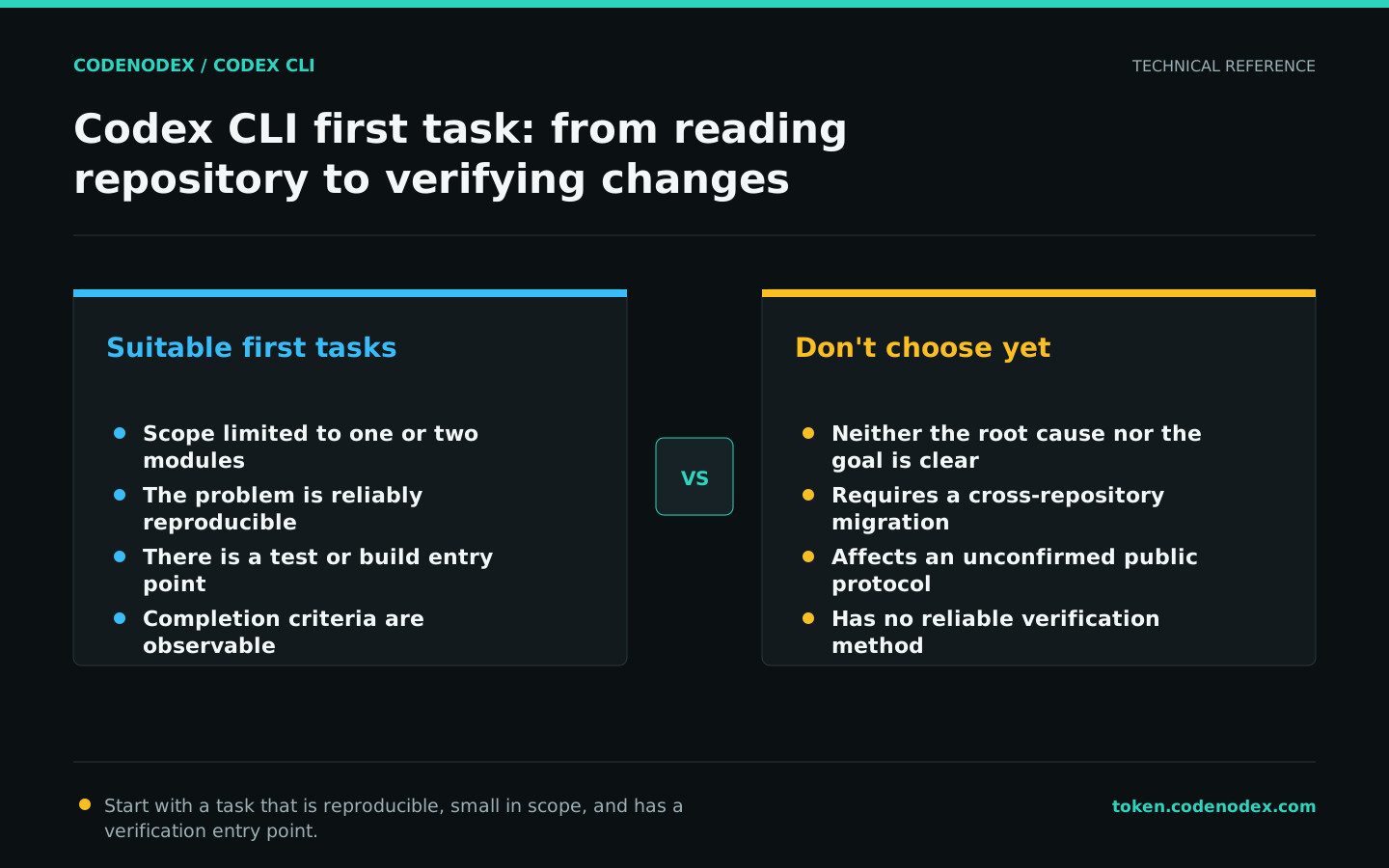
Choose low-risk but realistic tasks
An ideal first task touches only one or two modules, has clear completion criteria and includes runnable tests, builds or static checks. A copy-only edit reveals little about engineering behavior, while cross-repository work introduces too many variables.
You can choose to fill in a missing boundary test, fix a reproducible bug, or add input validation to an existing function. Write the goal first as a behavioral change rather than specifying an unproven implementation.
- Provide a reproduction command or failing test.
- Directories that are explicitly allowed to be modified and public interfaces that cannot be changed.
- Specify the checks that must be run upon completion.
- Requires a listing of actual changes and residual risks.
Record the repository baseline
Before starting Codex, confirm the current branch and workspace status. It is not necessary to clear existing uncommitted changes, but it is necessary to know which changes belong to the task before starting to avoid subsequent misjudgments.
Use the test command defined by the repository. The example below checks Git status and common project entry points without assuming a package manager.
git status --short --branch
git diff --stat
ls
find . -maxdepth 2 -name AGENTS.md -o -name package.json -o -name go.mod -o -name pyproject.tomlUnderstand and plan first, then authorize modifications
Use the first round to let Codex locate the code, trace the data flow and propose a plan in a read-only sandbox. The plan should identify specific files, risks and verification methods. Do not proceed to implementation if it cannot explain the failure.
Explicitly passing the working directory through -C can reduce context deviation caused by starting from the wrong directory.
codex -C /path/to/repo -s read-only "Read the repository instructions and code related to the login timeout. Reproduce the existing failure, explain the root cause, and provide a file-specific change plan and validation commands. Do not modify files."Start implementation with a task contract
Implementation prompts should contain questions, scope, constraints, verification and stopping conditions. Let Codex use the repository's existing schema and require questions to be asked first when encountering requirements ambiguity.
workspace-write allows writing in the workspace, but external paths and restricted networks are still controlled by the sandbox. Do not directly use the sandbox-less mode just to save one approval.
codex -C /path/to/repo -s workspace-write -a on-request "Fix the confirmed login timeout. Change only the auth module and its tests, and preserve the public API. Add a regression test before implementing the fix. Run relevant tests and formatting checks. Report original errors; do not bypass failures by skipping tests or weakening assertions."Review the actual diff, not just the summary
A model's completion summary cannot replace repository evidence. Check the actual diff, untracked files and unrelated formatting; ask Codex to explain each behavioral change when necessary.
When reviewing, focus on boundary conditions, error paths, compatibility, and secret leaks. Do not just look at whether the test turns green.
git status --short
git diff --check
git diff --stat
git diffRun validation and retain subsequent context
Run the repository's authoritative checks yourself to confirm that Codex's reported results are reproducible. Use resume to continue the same context, or fork to preserve the history while trying another approach.
The first task is complete when behavior, tests and the diff match expectations, not when "Done" appears in the terminal.
# First run the tests required by AGENTS.md or CI
git diff --check

codex resume --last
# Or create an independent branch context from the previous session
codex fork --last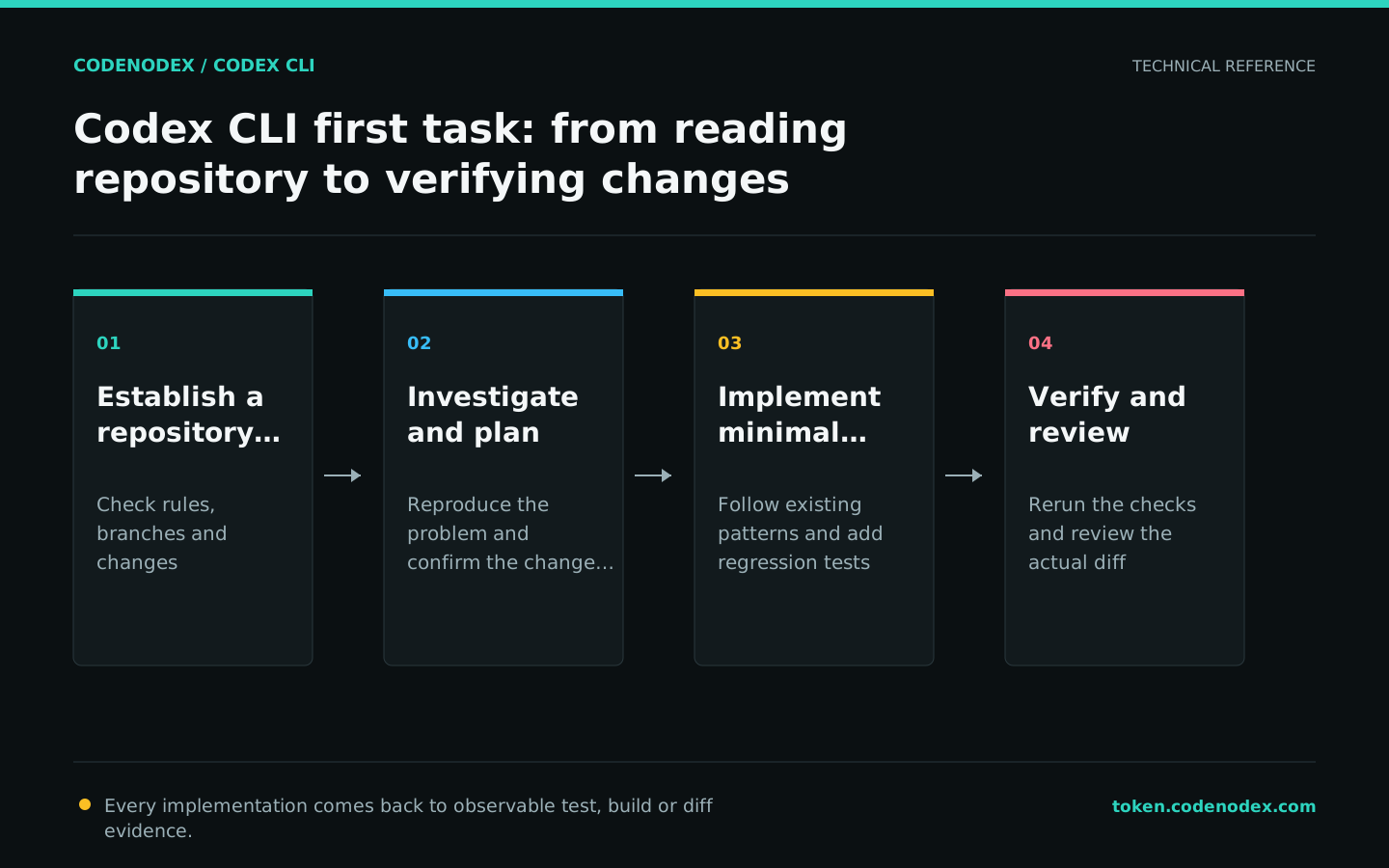
Official sources and verification scope
This guide is based on public official documentation. Commands and configuration may change between client versions, so verify the linked sources before use.
View documentation scope