Direct answer
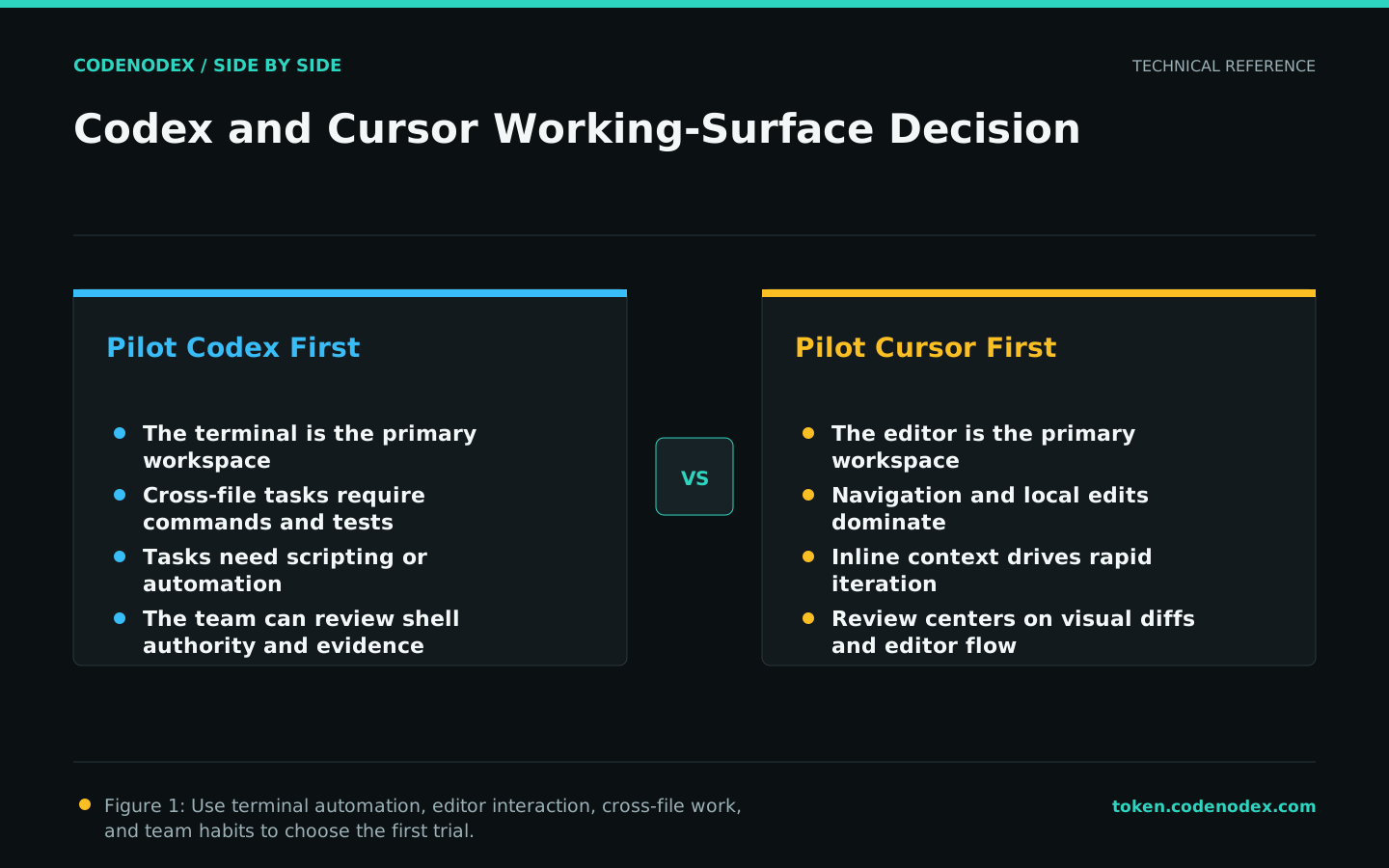
Start with Codex when most work is delegated from a terminal and includes cross-file changes, commands, and scripted verification. Start with Cursor when developers want AI woven into code navigation, inline edits, and daily editor work. Neither is universally better: compare the final diff, checks, intervention count, and permission requests on the same commit.
Key takeaways
- Compare the delivery loop and working surface, not one isolated answer.
- Hold repository rules, model conditions, and acceptance commands constant.
- Terminal automation versus editor interaction is the main dividing line.
- Recheck pricing, plans, and changing capabilities directly before purchase.
Key facts
| Fact | Verified value | Evidence |
|---|---|---|
| Codex positioning | OpenAI documents Codex as a coding agent used in development workflows. | View source |
| Codex CLI surface | OpenAI provides a dedicated command-line interface for Codex. | View source |
| Cursor product surface | Cursor presents its product as an AI code editor. | View source |
| Cursor project guidance | Cursor documents Rules for persistent project context. | View source |
What this guide helps you solve
Help developers evaluating Codex versus Cursor choose with evidence from their own repository workflow.
Verification scope and limits
- Evidence basis
- Official documentation
- Verification scope
- Verified official product entry points, configuration guidance, and documented workflow surfaces on 2026-07-19; no uncontrolled model-quality ranking is asserted.
- Limits and invalidation conditions
- - No live pricing or plan comparison.
- - No claim that one model wins across every language and repository.
- - Enterprise policy, extensions, and versions can alter actual behavior.
Choose the primary working surface first
Codex CLI naturally starts in a terminal and current repository, making it suitable for a task that connects reading, editing, commands, and verification. Cursor keeps code browsing, inline changes, and AI interaction inside an editor.
That distinction is not a verdict that terminals are more advanced or editors are easier. Inventory real work: cross-directory changes, local edits, session recovery, batch jobs, and review each place different weight on the interface.
Validate repository context and persistent rules separately
Both tools need accurate build commands, test entry points, and protected paths, but their discovery and configuration surfaces differ. Renaming one tool's instruction file is not a migration plan.
Keep durable engineering facts in one human-readable document, then make each client entry point contain only the required mapping. This limits drift and gives code owners a reviewable source of truth.
- State the command working directory and expected exit status.
- Separate allowed writes from actions requiring approval.
- Keep personal preferences out of shared repository policy.
Test permissions with concrete risk-bearing actions
Exercise read-only exploration, workspace writes, test execution, network access, and external tools independently. Evaluate whether prompts, approvals, and logs meet the repository risk level instead of counting confirmation dialogs.
For CI or batch work, also test non-interactive authentication, timeouts, exit codes, output contracts, and cleanup. One successful editor task does not prove an unattended path is reliable.
Run the same real task under controlled conditions
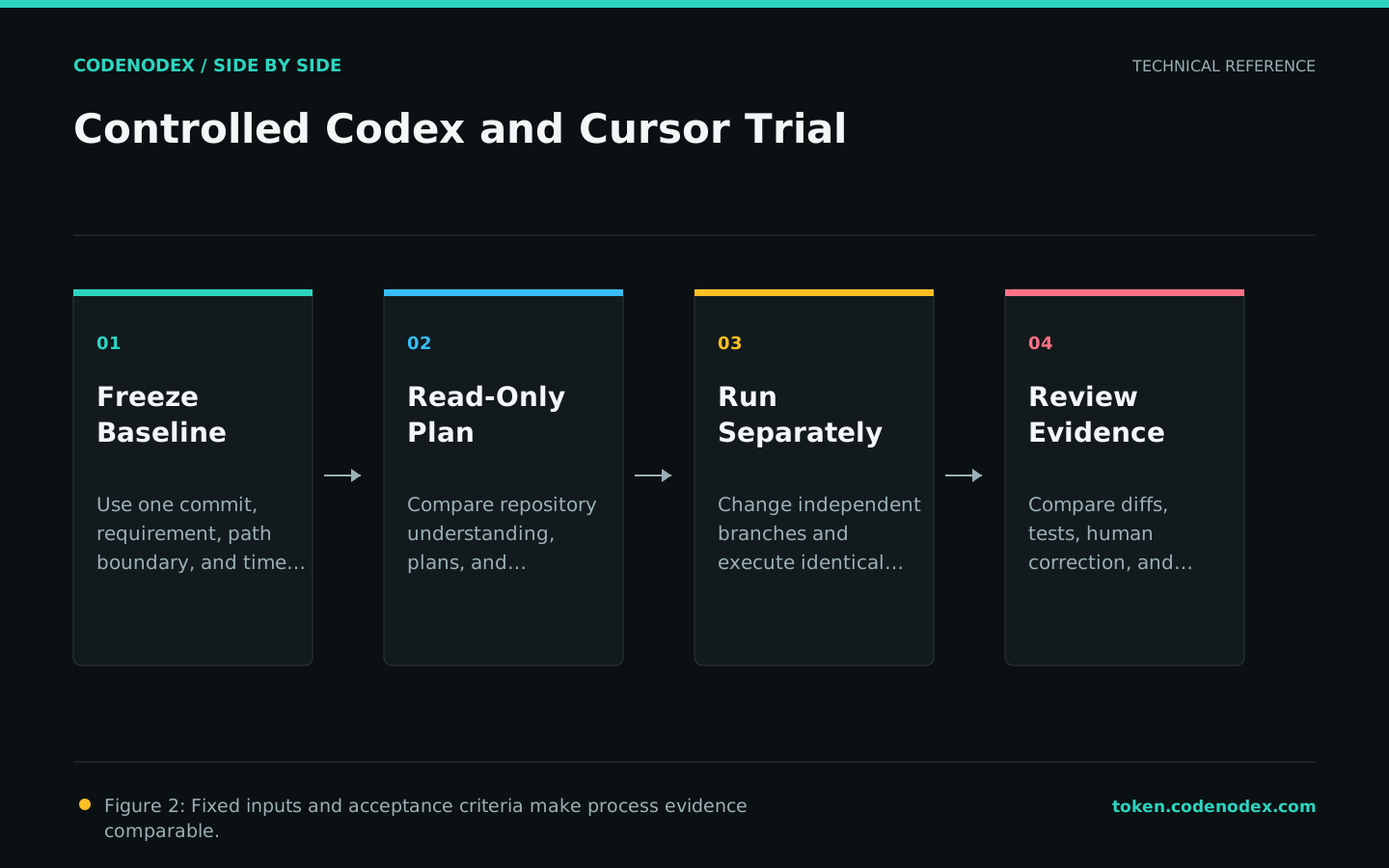
Give both tools the same commit, requirement, path boundary, and acceptance commands. Request read-only analysis first, then allow changes; retain the final diff, checks, interventions, and permission requests after removing secrets.
Include at least one focused fix and one cross-file task so a single interaction style does not dominate the sample. Record model and configuration conditions so the result can be reproduced.
Write a reversible team decision
Repositories dominated by terminal commands and scripted jobs can pilot Codex first. Teams centered on editor navigation and frequent local edits can pilot Cursor first. A mixed policy is valid when both share the same safety and delivery bar.
Document suitable tasks, excluded tasks, minimum checks, and a review date. Rerun the trial when product versions or team workflows materially change instead of treating one result as permanent.
Official sources and verification scope
This guide is based on public official documentation. Commands and configuration may change between client versions, so verify the linked sources before use.
View documentation scope