Direct answer
A 403 response usually means identity was recognized but the requested action is not allowed. Compare an allowed resource with the denied resource before changing policy.
What this guide helps you solve
Resolve model, project, organization, IP, region, and feature-policy denials that return HTTP 403.
Symptoms
Authentication succeeds, but one model, project, endpoint, region, or feature returns 403 Forbidden.
The same key can list models or call a baseline model while the target action remains denied.
Likely causes
- The account or project lacks access to the requested model or feature.
- An organization role, budget policy, IP allowlist, region rule, or safety control rejects the action.
- The credential is valid but belongs to the wrong project or tenant.
- A gateway route applies a narrower policy than the upstream account.
Diagnostic procedure
- 01Establish the boundaryConfirm a baseline authenticated action to separate 403 from 401.
- 02Create a baselineCompare the available-model list with the exact denied model ID.
- 03Compare one variableReview project, organization, source IP, region, and feature policies.
- 04Record decisive evidenceUse response headers, UTC time, and request ID to identify the enforcing layer.
API_BASE_URL='https://<your-api-host>/v1'
curl -sS -o /tmp/models.json -w 'models=%{http_code}
' \
  "$API_BASE_URL/models" \
  -H "Authorization: Bearer ${API_KEY:?set API_KEY first}"
# Then test the target model with the smallest generation request from the integration guide.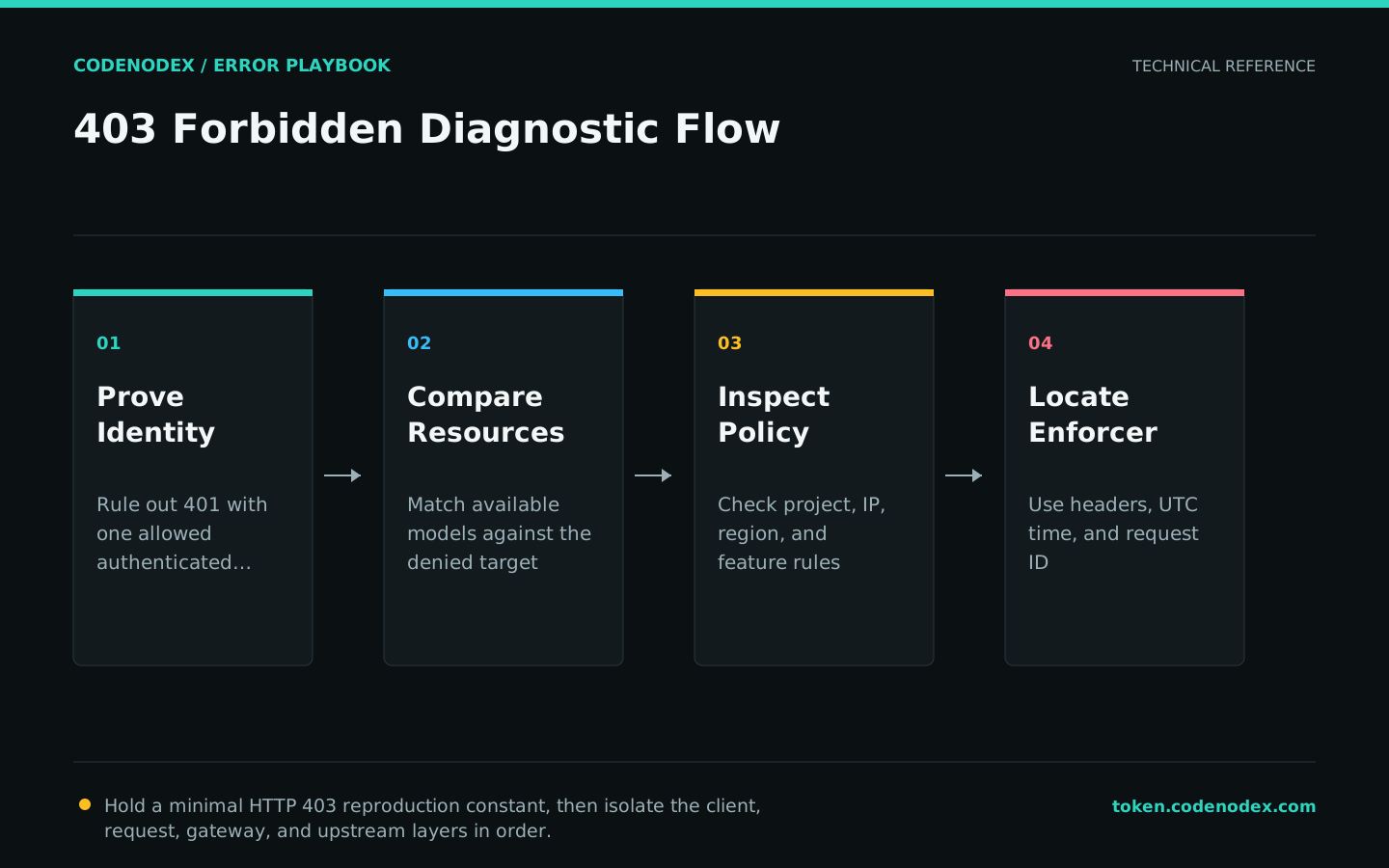
Remediation
- 01Correct the failing layerGrant only the required project, model, feature, or source permission through the authoritative control plane.
- 02Restore required behaviorSelect a model and route already permitted for the current account.
- 03Remove temporary workaroundsCorrect the project or tenant binding without broadening unrelated access.
Verification
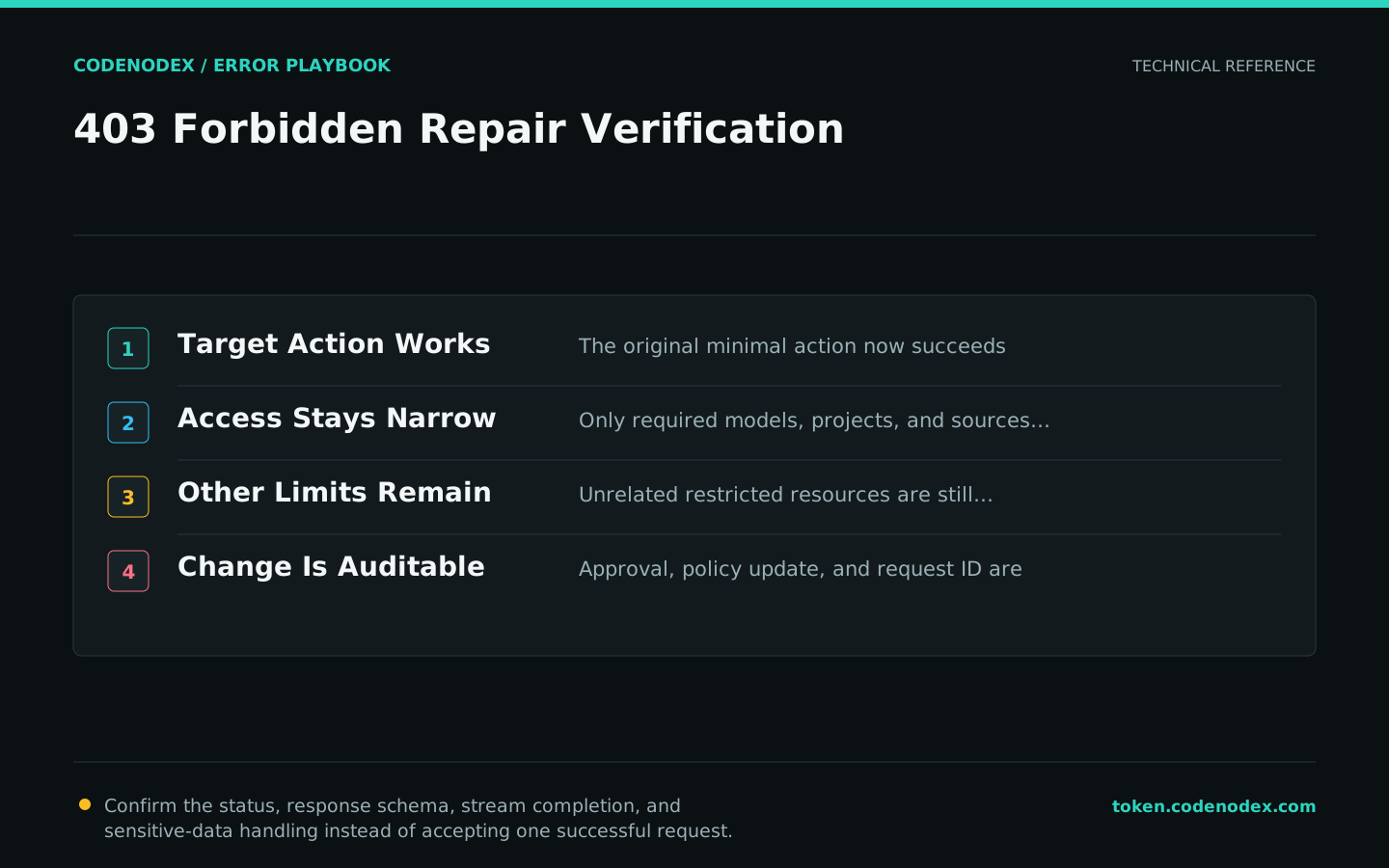
- The original minimal action succeeds with the intended identity.
- Permissions remain limited to the required project, model, and source.
- Unrelated restricted resources are still denied.
- The approval, policy change, time, and request ID form an auditable record.
Sensitive diagnostic data
- Do not bypass source or region policy with an unapproved relay.
- Avoid administrator-wide grants as a temporary debugging shortcut.
- Record who approved the policy change and when it should be reviewed.
- Share policy names and request IDs, not credentials or private payloads.
Official sources and verification scope
This guide is grounded in protocol specifications and official client documentation. Error text, retry headers, and configuration fields may change by service or client version; verify the sources and redact logs and request samples before sharing.
View documentation scope