Direct answer
Codex configuration failures are versioned schema problems. Confirm the binary and active config location before moving or deleting fields.
What this guide helps you solve
Fix TOML syntax, unknown fields, wrong table nesting, invalid value types, and stale Codex configuration.
Symptoms
Codex refuses to start, ignores a provider, or reports an unknown field, invalid type, or TOML parse location.
A copied config may work with another Codex version or CODEX_HOME while the current binary reads a different schema or file.
Likely causes
- Invalid TOML syntax, quoting, arrays, duplicate keys, or table headers.
- A valid field is placed under the wrong table or assigned the wrong value type.
- A removed or renamed option remains from an older client version.
- The process resolves a different CODEX_HOME, profile, or config file than expected.
Diagnostic procedure
- 01Establish the boundaryRecord the exact Codex version and resolved CODEX_HOME path.
- 02Create a baselineBack up config.toml and the related authentication directory before editing.
- 03Compare one variableRun strict configuration diagnostics and capture the first unknown field or type error.
- 04Record decisive evidenceUse a temporary isolated CODEX_HOME to distinguish user config from binary or environment issues.
CODEX_DIR="${CODEX_HOME:-$HOME/.codex}"
printf 'CODEX_HOME=%s\n' "$CODEX_DIR"
codex --version
cp "$CODEX_DIR/config.toml" "$CODEX_DIR/config.toml.bak.$(date -u +%Y%m%dT%H%M%SZ)"
codex exec --strict-config --ephemeral -s read-only -a never 'Report only the current model and sandbox mode.'
codex exec --ignore-user-config --ephemeral -s read-only -a never 'Check only the repository entry points.'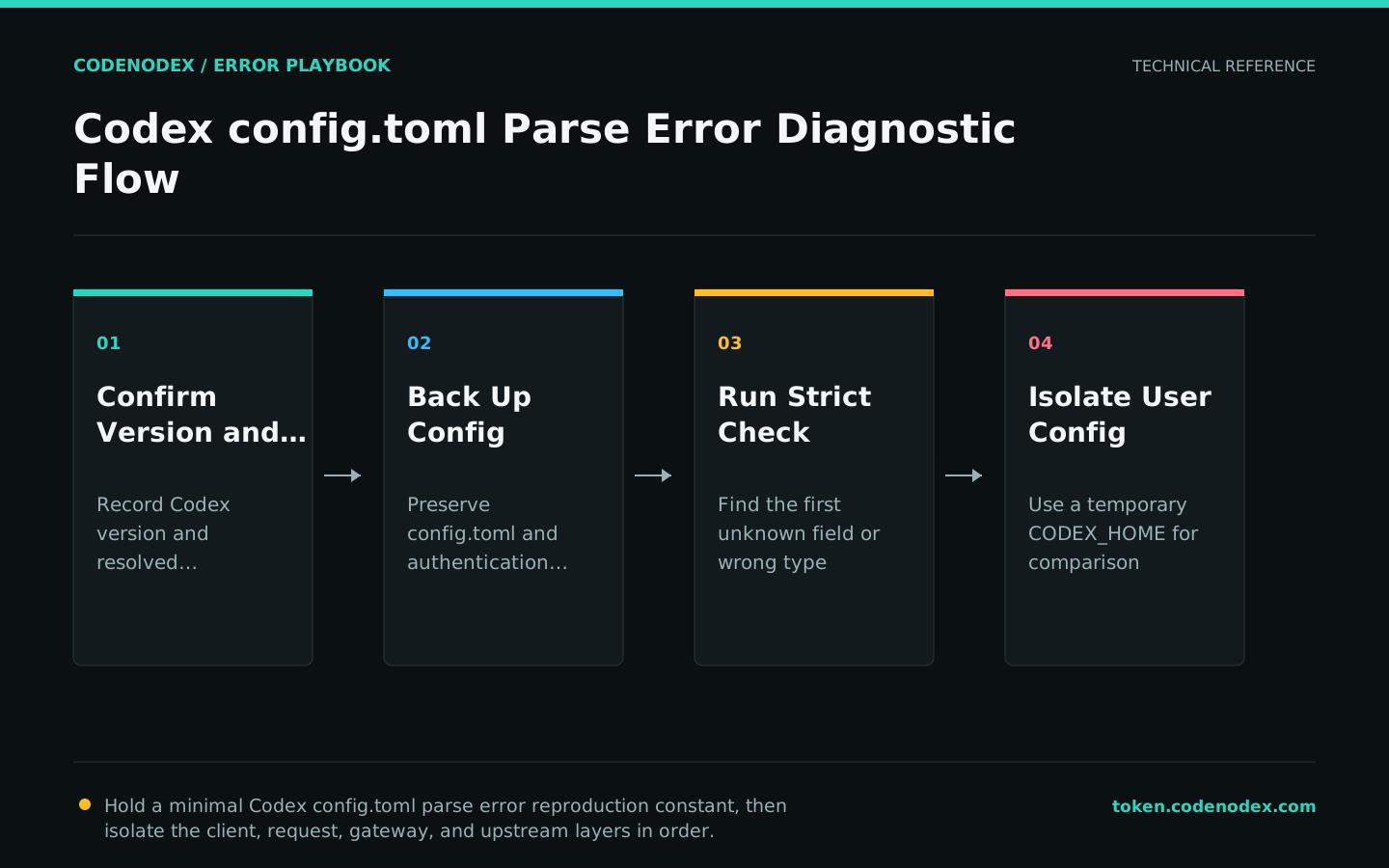
Remediation
- 01Correct the failing layerCorrect syntax, field type, and table nesting against documentation for the installed version.
- 02Restore required behaviorRemove only confirmed obsolete keys while preserving unrelated profiles, MCP, and safety settings.
- 03Remove temporary workaroundsMerge changes transactionally and retain a complete rollback copy.
codex exec --strict-config --ephemeral -s read-only -a never \
  'Report the current provider, model, approval policy, and sandbox mode. Do not run commands or modify files.'
codex doctor --summaryVerification
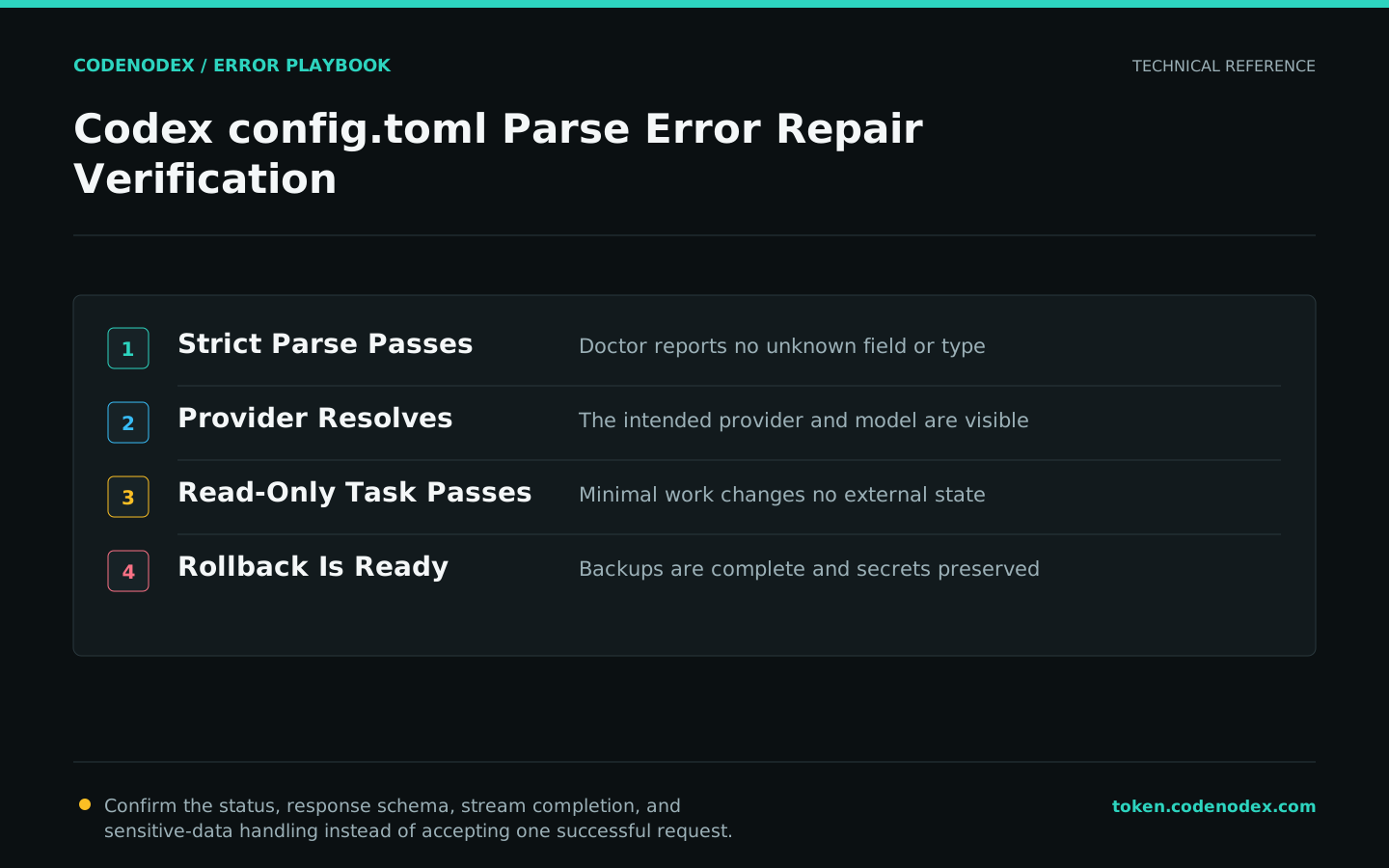
- Strict doctor reports no unknown fields or type errors.
- The intended provider and model resolve correctly.
- A minimal read-only task succeeds without modifying project or external state.
- Backup files are complete and authentication data was not overwritten.
Sensitive diagnostic data
- Never paste auth.json or secret values into config diagnostics.
- Do not replace the full config just to fix one key.
- Preserve sandbox, approval, and trusted-project settings during migration.
- Escalate with Codex version, sanitized config fragment, resolved paths, and exact error text.
Official sources and verification scope
This guide is grounded in protocol specifications and official client documentation. Error text, retry headers, and configuration fields may change by service or client version; verify the sources and redact logs and request samples before sharing.
View documentation scope