Direct answer
Separately manage persistent default values, project constraints and single command overrides to reduce configuration drift and hidden behavior changes after upgrades.
What this guide helps you solve
Find, edit, and verify the Codex CLI config.toml configuration
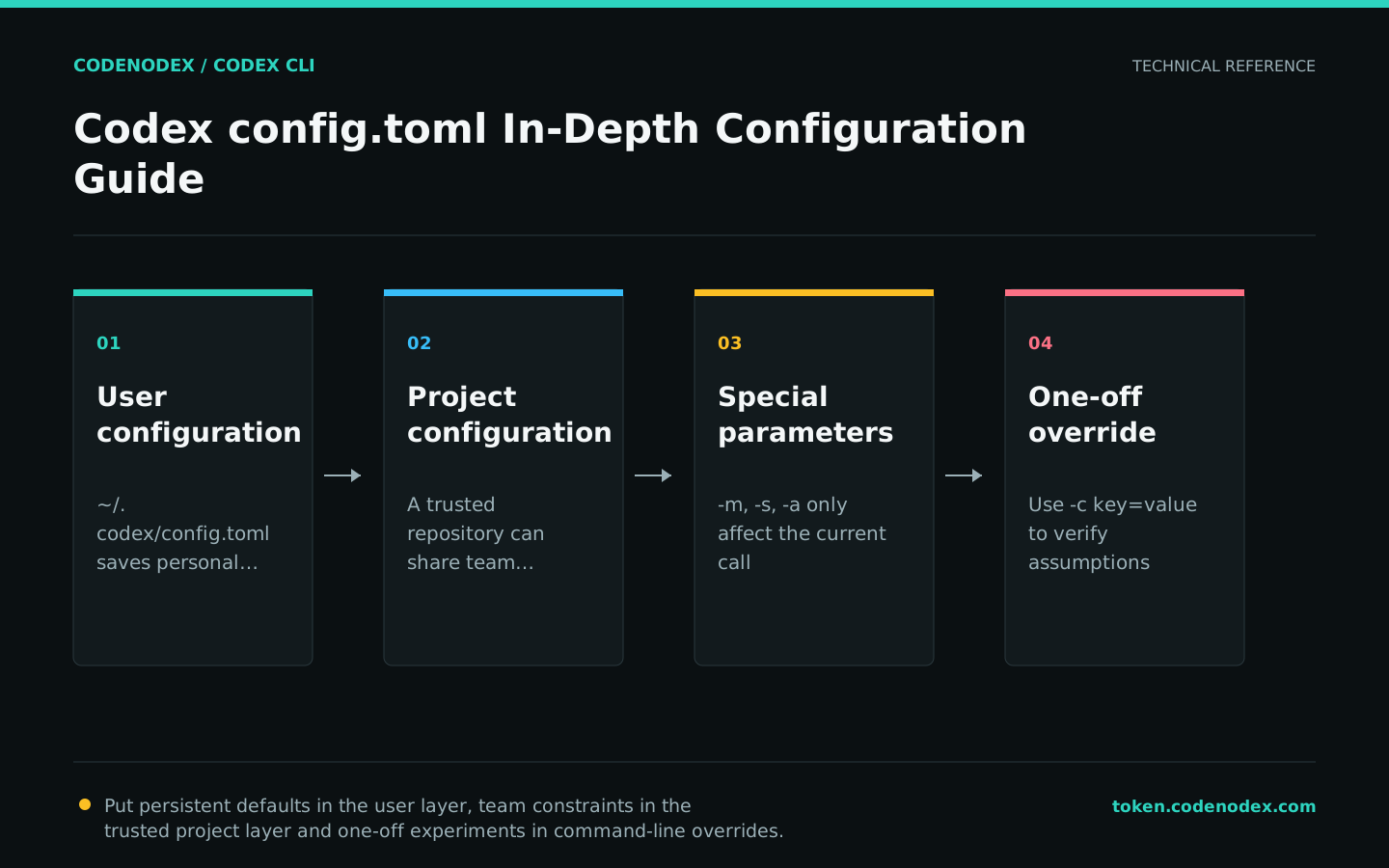
Understand configuration hierarchy and responsibilities
Use ~/.codex/config.toml for personal defaults such as models, providers, and interaction settings. Use project .codex/config.toml for settings shared by a trusted repository. Use command-line overrides for a single invocation.
Do not mix API keys with ordinary settings. Authentication data belongs in the authentication mechanism or a secret store; config.toml describes behavior and request routing.
Locate configuration without exposing authentication data
The default user configuration is ~/.codex/config.toml. On Windows, ~ refers to the user's home directory. If CODEX_HOME is set, use that directory instead.
When diagnosing, give priority to using doctor and features instead of recursively printing the entire ~/.codex directory. auth.json may contain keys and should not appear in terminal shares or ticket attachments.
CODEX_DIR="${CODEX_HOME:-$HOME/.codex}"
printf "CODEX_HOME=%s\n" "$CODEX_DIR"
codex doctor --summary
codex features list
codex exec --strict-config --ephemeral -s read-only "Report only the current model and sandbox mode. Do not run commands."Start with a few explicit fields
Every additional setting creates behavior that must be reverified during upgrades. Start with stable, well-understood fields and add options from the current configuration reference only when needed.
The model identifier must be accepted by the current provider. The following example shows the current Codex default model for CodeNodex, but the complete configuration of the provider is explained in the Models and Providers section.
model = "gpt-5.6-sol"
model_reasoning_effort = "high"
sandbox_mode = "workspace-write"
approval_policy = "on-request"First verify the configuration with a single override
-c key=value parses the value as TOML and affects only the current invocation. Prefer dedicated flags for models, working directories, sandboxes and approvals because they are easier to read.
Verifying that it is valid before writing the configuration can avoid permanently changing all repositories in one experiment.
codex -m gpt-5.6-sol -s read-only -a untrusted "Analyze only the failing test."
codex -c model_reasoning_effort=high "Compare two fixes for the confirmed root cause. Do not modify files."
codex -s workspace-write -c sandbox_workspace_write.network_access=false "Answer using only the local repository."Backup before editing, structured verification after editing
Create a timestamped backup before manual editing and do not overwrite the only old copy. If using the CodeNodex CLI, the setup already includes parsing, backup, atomic writes, and rollback on failure.
TOML table hierarchy and duplicate keys can cause parse failures. After editing, run doctor and use a read-only task to verify the effective settings.
CODEX_DIR="${CODEX_HOME:-$HOME/.codex}"
cp "$CODEX_DIR/config.toml" "$CODEX_DIR/config.toml.bak.$(date -u +%Y%m%dT%H%M%SZ)"
${EDITOR:-vi} "$CODEX_DIR/config.toml"
codex doctor --summary
codex -s read-only "Report the current model and sandbox mode. Do not read or print credentials."Control version upgrades and configuration drift
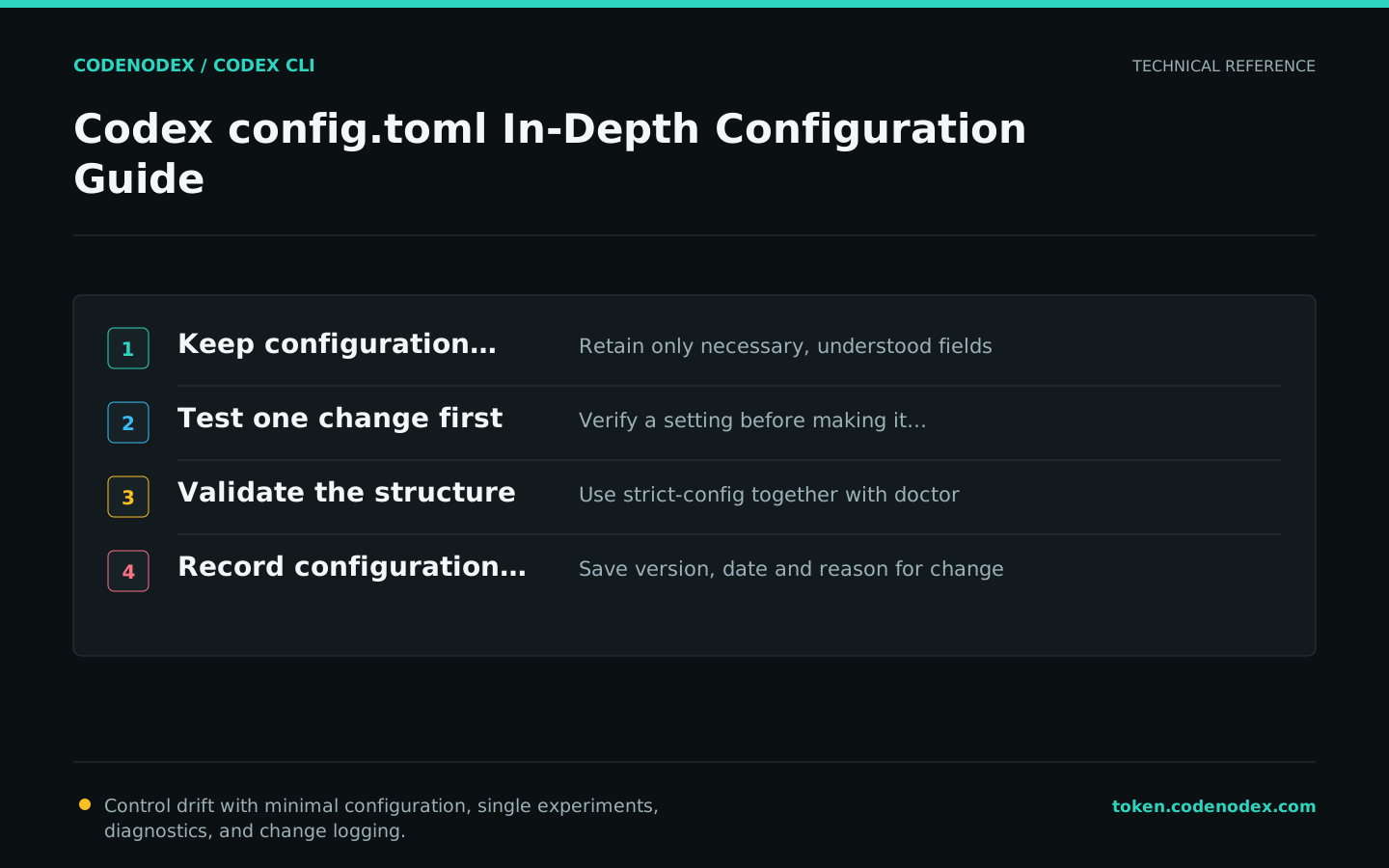
Check the release notes, native help, and doctor after upgrading the CLI. Before deleting an unknown field confirm whether it comes from a team policy or is still used by the old environment.
Document key defaults and their reasons in team documentation, and regularly remove redundant items that have been reverted to official defaults. The simpler the configuration, the easier it is to reproduce across machines.
- Record the Codex version and configuration verification date.
- Preserve diffs for manual changes to config.toml.
- Do not enable unused experimental features for long periods of time.
- The provider template and model list should come from the same maintained source.
Official sources and verification scope
This guide is based on public official documentation. Commands and configuration may change between client versions, so verify the linked sources before use.
View documentation scope