Direct answer
Try Claude Code first when developers delegate multi-step tasks from a local terminal and need project settings plus controlled tool permissions. Try the relevant GitHub Copilot surface first when AI should follow IDE and GitHub collaboration. Score local, editor, and pull-request work independently.
Key takeaways
- Name the specific Copilot surface before comparing it.
- CLAUDE.md and settings do not substitute for GitHub custom instructions.
- Local command authority and hosted repository authority need separate review.
- Include maintainer takeover and failure recovery in the selection score.
Key facts
| Fact | Verified value | Evidence |
|---|---|---|
| Claude Code overview | Anthropic documents Claude Code as a terminal-based agentic coding tool. | View source |
| Claude Code permissions | Anthropic publishes dedicated permission documentation. | View source |
| GitHub Copilot documentation | GitHub maintains an official Copilot documentation center. | View source |
| Copilot instructions | GitHub documents repository custom instructions. | View source |
What this guide helps you solve
Help teams compare Claude Code and GitHub Copilot across local development and GitHub collaboration.
Verification scope and limits
- Evidence basis
- Official documentation
- Verification scope
- Confirmed product entry points, settings, permissions, and repository guidance from Anthropic and GitHub official documentation.
- Limits and invalidation conditions
- - Not every Copilot interface or enterprise policy is enumerated.
- - No live plan, model, or benchmark comparison.
- - Organization configuration and regional availability require procurement-time review.
Task location is the first selection criterion
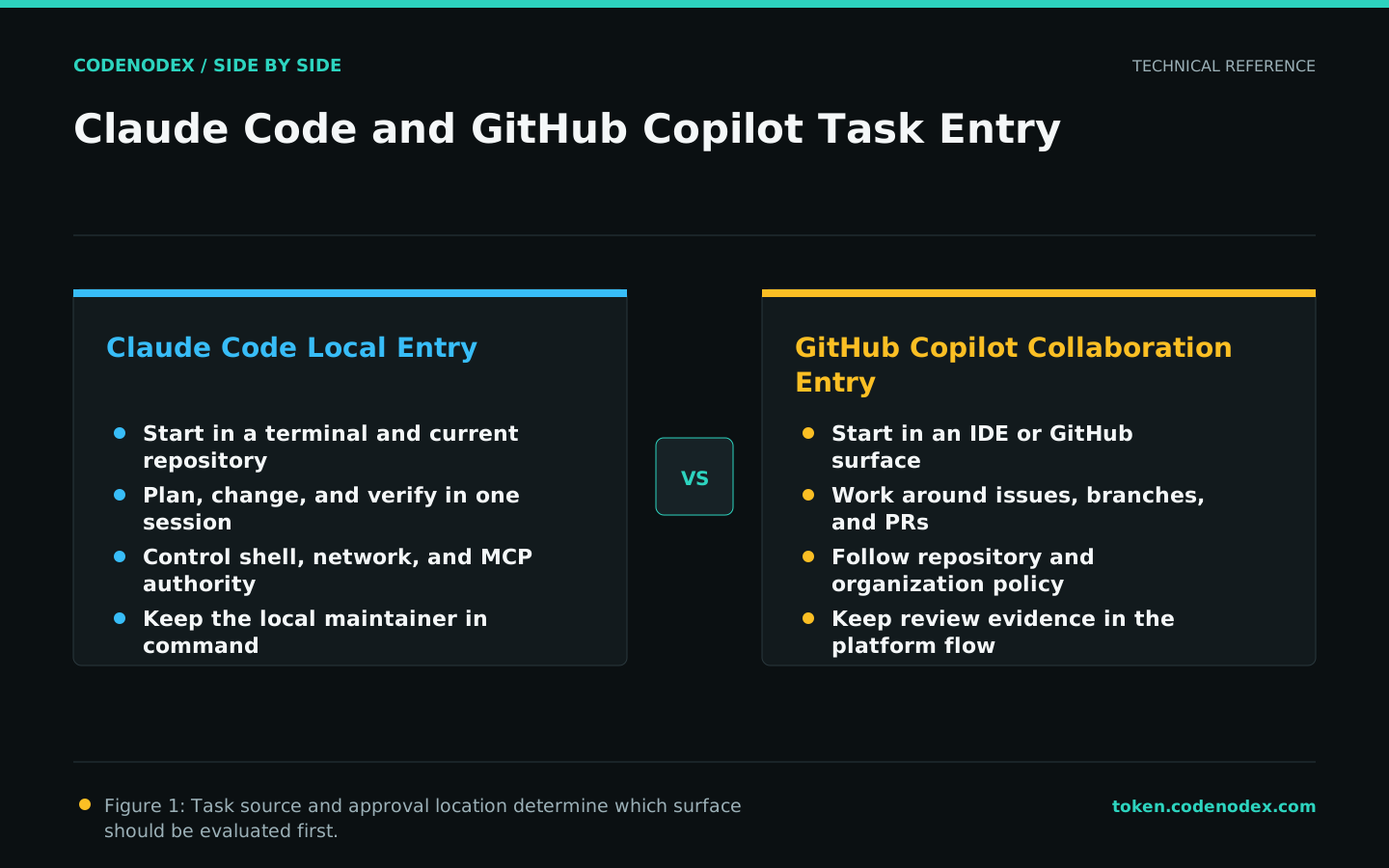
Claude Code naturally begins in the local terminal and repository, where planning, changes, commands, and checks can remain in one agent session. GitHub Copilot has official surfaces connected to editors and GitHub collaboration.
Classify the last month of work by source: local defect, editor change, issue, pull-request review, or CI failure. Frequent entry points predict adoption cost better than a long product list.
Maintain project memory and repository instructions deliberately
Claude Code memory and settings follow Anthropic scopes; Copilot custom instructions follow GitHub documentation. Keep shared build and test facts in one place, then create minimal mappings for each entry point.
Ask each surface a read-only question about commands, path restrictions, and forbidden actions. Resolve conflicts and ownership instead of adding an ever-longer instruction file.
Grant authority by asset, not by product name
A local session needs least-privilege access to files, shell, network, and MCP. A GitHub surface needs least-privilege access to repositories, branches, issues, pull requests, or Actions. Draw two trust boundaries.
An enterprise trial should record who enables tools, who approves external writes, how long logs remain, and how credentials are revoked. Convenience cannot override governance.
- Separate test and production repositories.
- Restrict organization and branch scope.
- Keep destructive commands and merge actions behind human gates.
Test local and hosted tasks independently
For the local trial, choose a tested task a maintainer could finish within an hour. For the hosted trial, use a tightly scoped issue and isolated branch. Keep the code baseline and acceptance criteria the same.
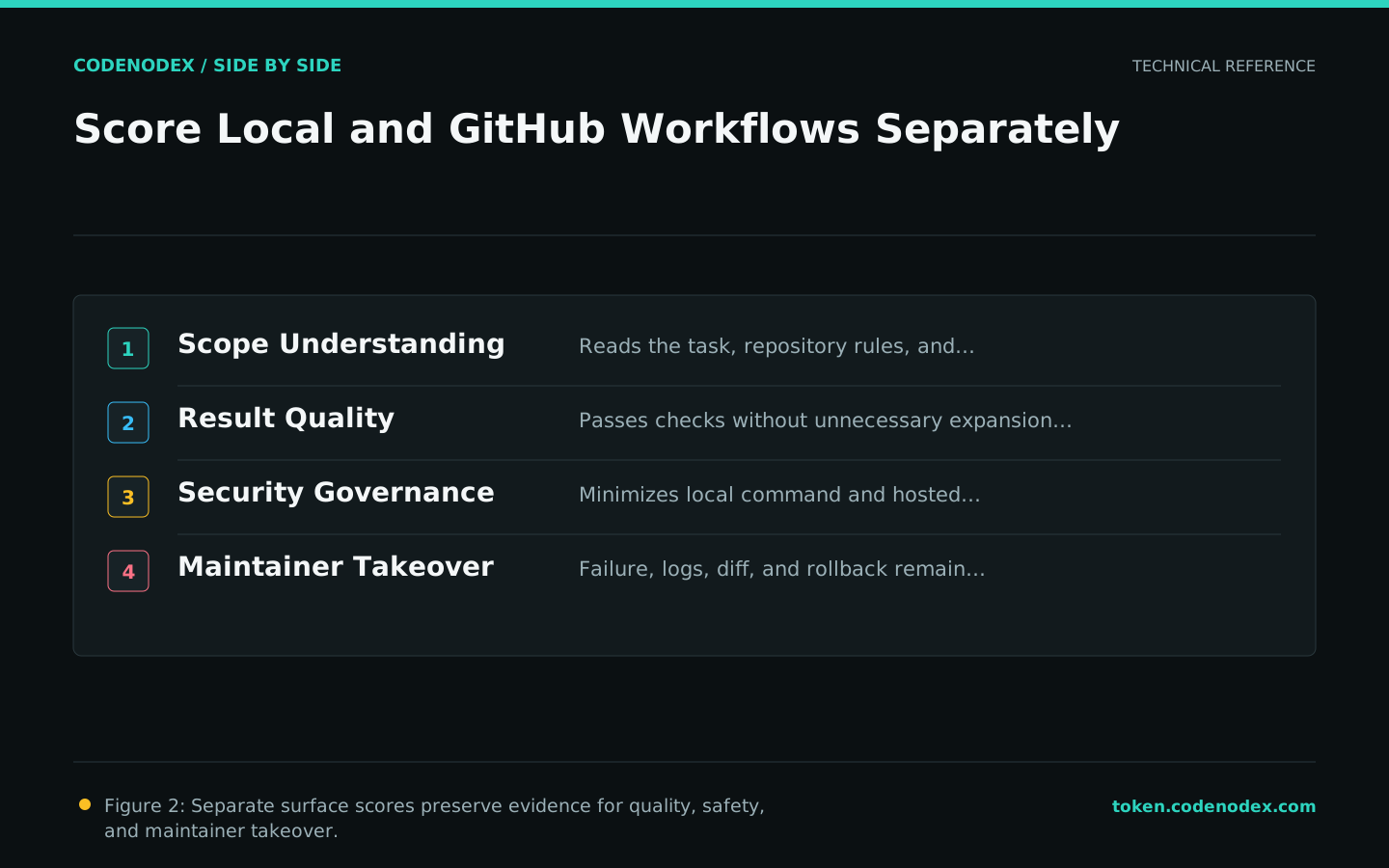
Record success, failure, intervention, permission escalation, test output, and takeover time. Show results per surface instead of compressing them into an ambiguous total.
Make ownership clarity the final test
Choose a Claude Code pilot when maintainers want continuous local control over the task and its permissions. Choose a Copilot pilot when delivery and review are concentrated in GitHub. A combined policy must prevent two agents from owning the same change.
Publish suitable scenarios, prohibited scenarios, minimum checks, and a review date. Product updates trigger reevaluation; they do not automatically expand authority.
Official sources and verification scope
This guide is based on public official documentation. Commands and configuration may change between client versions, so verify the linked sources before use.
View documentation scope