Direct answer
Cursor configuration is verified through the model list, a minimal task, the usage record, and HTTP error classification.
What this guide helps you solve
Document the Cursor custom-key location, `/v1` Base URL, CodeNodex CLI configuration scope, and diagnosis of 401, 404, unavailable-model, and timeout failures.
CLI configuration scope
Cursor stores custom keys in its own settings, so the CodeNodex CLI does not write the Cursor configuration. --client cursor validates the key and prints the Base URL, key, and provider values required for manual entry.
Create a key in a CodeNodex OpenAI group. Use an exact model ID returned for that key; do not use a display name from the web interface as a request parameter.
codenodex login -o "https://token.codenodex.com"
codenodex setup --client cursorConfigure the key and Base URL in Cursor
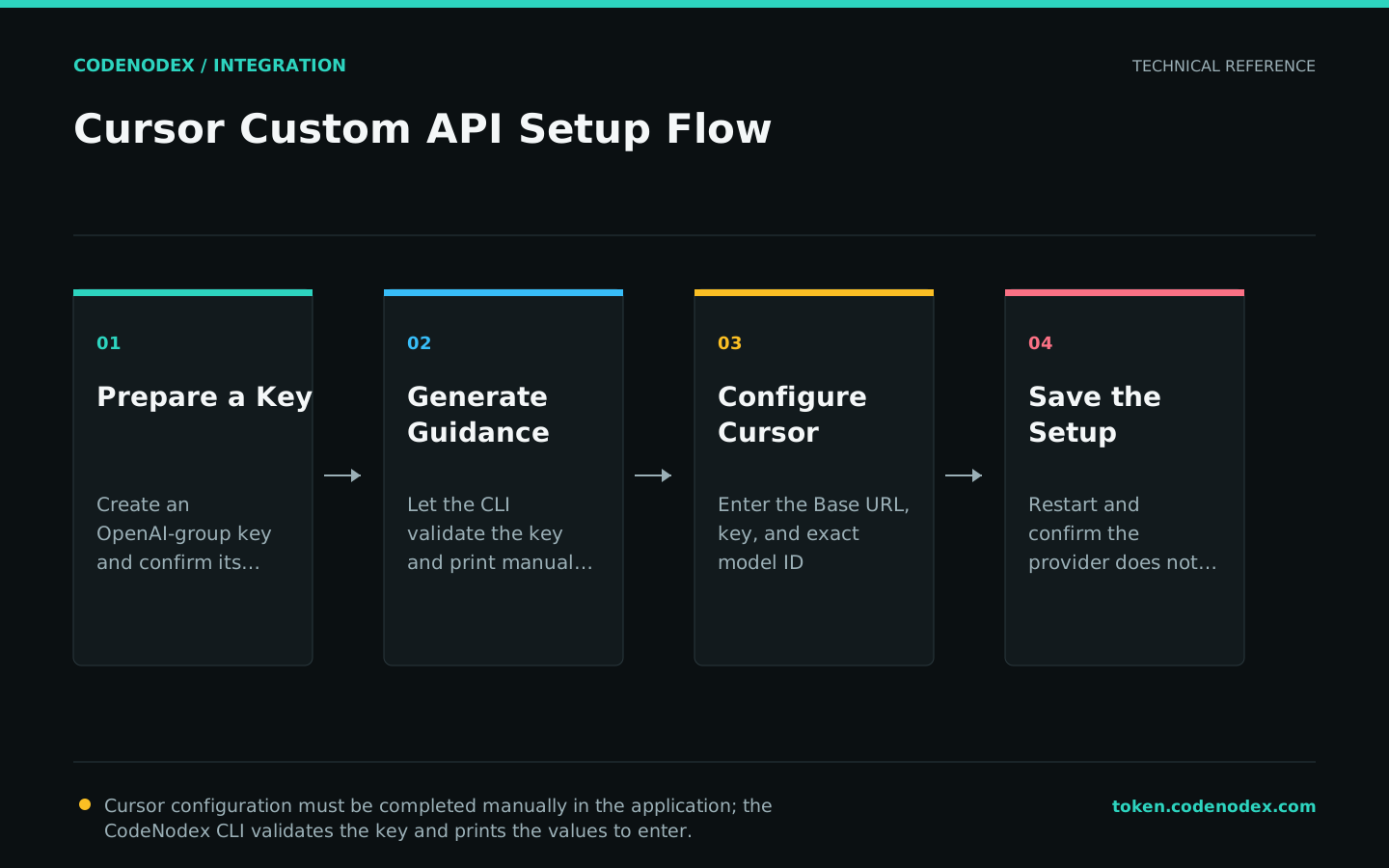
Open Cursor Settings and locate the Models or API Keys section. Enable the custom OpenAI API key, enter the CodeNodex key, and set Override OpenAI Base URL to https://token.codenodex.com/v1.
Menu labels vary by Cursor version. The required values are the OpenAI provider, a Base URL ending in /v1, and an exact model ID available to the key.
- 01Select a providerSelect OpenAI or an entry that accepts a custom OpenAI API.
- 02Set the endpointSet Base URL to
https://token.codenodex.com/v1. Do not append/chat/completions. - 03Save the keyEnter the API key.
YOUR_API_KEYis a placeholder and is not a usable credential. - 04Pick a modelEnter an exact model ID from the model list, then save and enable the configuration.
Query `/v1/models` before running a task
Query the model list directly before running a Cursor task. This separates gateway authentication from Cursor model configuration.
A successful response verifies the key and Base URL only. Confirm that the intended model ID is present in the response.
curl --fail-with-body "https://token.codenodex.com/v1/models" -H "Authorization: Bearer YOUR_API_KEY"Verify with a minimal task
Use a temporary directory, select the configured model, and submit one low-risk task with an observable result, such as explaining a function or adding one unit test to a pure function.
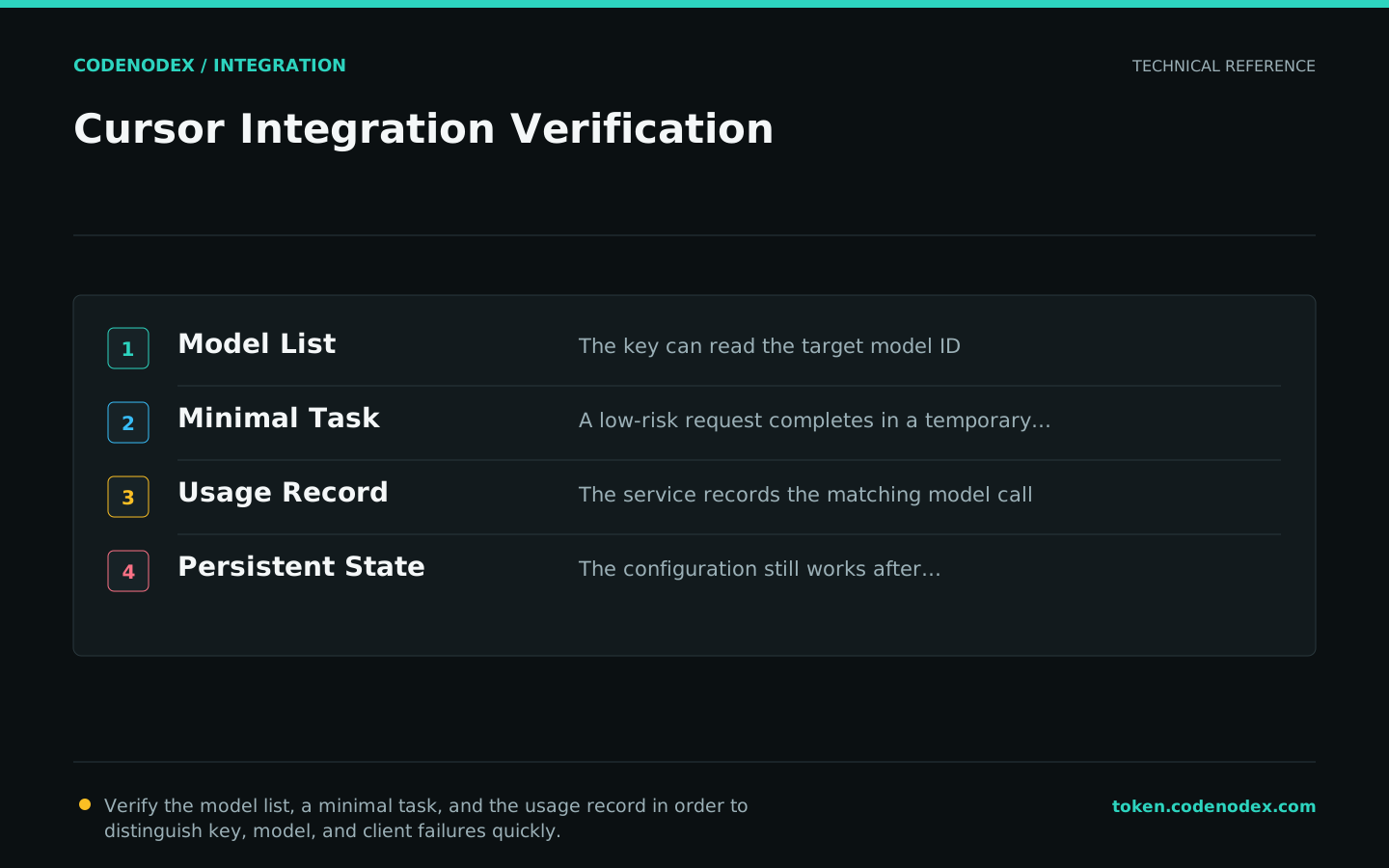
Confirm the model selector, response completion, and CodeNodex usage record. Matching values establish that Cursor used the configured provider and key.
- The model selector displays the configured model ID.
- A matching call appears in CodeNodex usage after task execution.
- The configuration persists after Cursor restarts.
Diagnose 401, 404, 429, and timeout failures
A 401 usually indicates an invalid or disabled key. A 404 can indicate a duplicated /v1, an unavailable model ID, or an incorrect endpoint path. A 429 requires a balance, concurrency, and upstream-limit check.
When curl succeeds but Cursor fails, verify Override OpenAI Base URL and ensure that competing providers are not enabled. For timeouts, test a shorter request before investigating network and model conditions.
Official sources and verification scope
This guide is based on public official documentation. Commands and configuration may change between client versions, so verify the linked sources before use.
View documentation scope