Direct answer
An MCP entry being present in configuration does not prove the server started or negotiated the protocol. Verify each layer in order.
What this guide helps you solve
Fix MCP executable, arguments, environment, stdio, HTTP, protocol, authentication, and tool-discovery failures.
Symptoms
The client reports that an MCP server failed to start, initialize, authenticate, or expose tools.
The command may run manually but fail under the client because cwd, PATH, environment, stdout, or config scope differs.
Likely causes
- The executable, arguments, working directory, PATH, or required environment variable is wrong.
- A stdio server writes logs or banners to stdout and corrupts protocol messages.
- An HTTP server is unreachable, unauthorized, or configured with the wrong URL or transport.
- Client and server fail initialize negotiation or tool schema discovery.
Diagnostic procedure
- 01Establish the boundaryConfirm server name, config scope, command or URL, arguments, cwd, and environment names.
- 02Create a baselineStart stdio directly with sanitized input, or test HTTP DNS, TCP, TLS, and authentication in layers.
- 03Compare one variableCapture initialize negotiation and the selected protocol version.
- 04Record decisive evidenceRun tools/list, inspect the required schema, then invoke one read-only tool.
codex mcp list --json 2>/dev/null || true
codex doctor --summary 2>/dev/null || true
claude mcp list 2>/dev/null || true
# Then run codex mcp get <name> or claude mcp get <name> for each client.
# For stdio services, run --help only for trusted commands. Do not execute installation pipelines from unknown sources.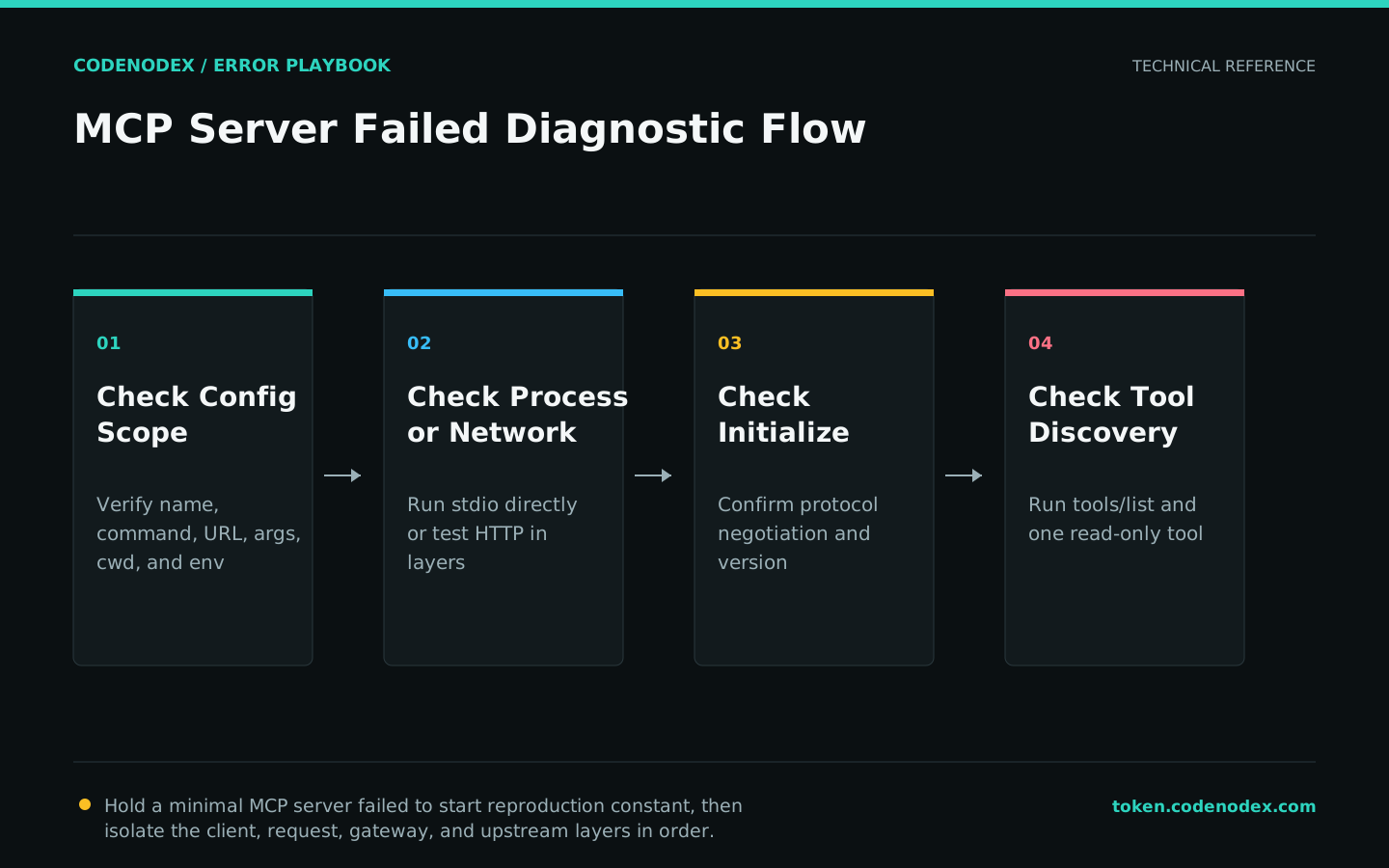
Remediation
- 01Correct the failing layerCorrect the executable, arguments, cwd, environment, URL, and transport in the authoritative scope.
- 02Restore required behaviorSend stdio logs to stderr and reserve stdout for protocol frames.
- 03Remove temporary workaroundsAlign protocol version and authentication, then grant only the minimum tool permissions.
1. client list/get reads final configuration
2. server process or HTTP endpoint is reachable
3. initialize and tools/list succeed
4. a read-only tool returns the expected shape
5. logs contain no tokens, project secrets, or protocol noiseVerification
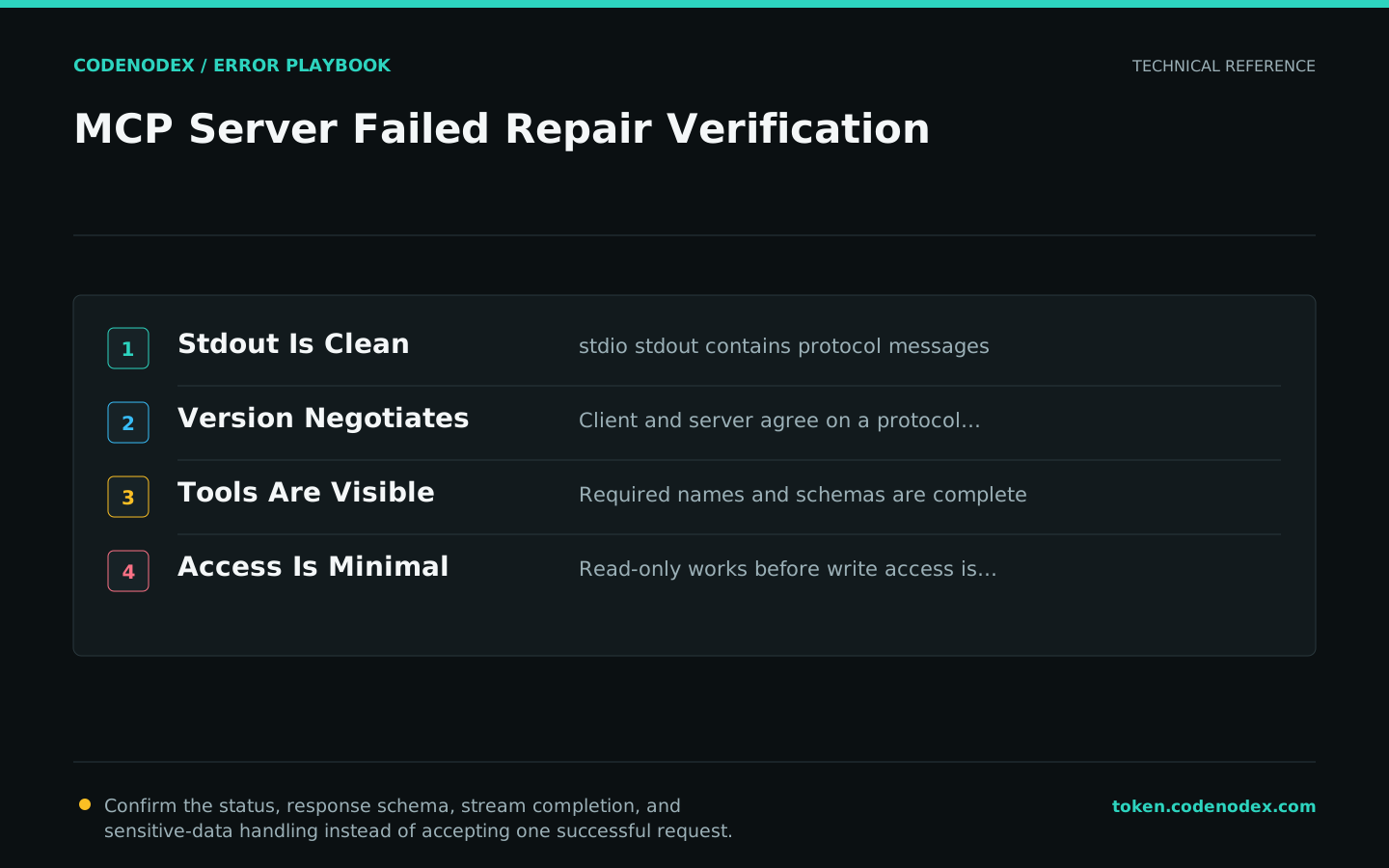
- stdio stdout contains protocol messages only.
- Client and server negotiate a compatible protocol version.
- The expected tool names and schemas appear in tools/list.
- A read-only tool succeeds before any write or destructive capability is enabled.
Sensitive diagnostic data
- Do not place secrets directly in committed MCP configuration.
- Treat third-party MCP servers and tool output as untrusted input.
- Start with read-only filesystem and network scope.
- Escalate with client/server versions, sanitized config, stderr, initialize result, and tool-list output.
Official sources and verification scope
This guide is grounded in protocol specifications and official client documentation. Error text, retry headers, and configuration fields may change by service or client version; verify the sources and redact logs and request samples before sharing.
View documentation scope