Direct answer
MCP connects coding agents to external tools and context, expanding both data access and command authority. A server is not validated merely because its name appears in a list; it must complete an auditable call under controlled permissions.
What this guide helps you solve
Help developers using both clients establish consistent MCP setup and acceptance criteria.
MCP expands security boundaries, not just connectivity
MCP servers can expose tools, resources or prompt templates. They may read local files, access internal APIs, query databases or perform writes. Before connecting one, document the data it can see, the actions it can perform and the source of its credentials.
A client displaying "Connected" proves only that the transport is established. Acceptance also requires listing capabilities, performing a minimal read-only call, reviewing the result and confirming that failures do not fall back to an uncontrolled path.
Choose between stdio and a remote server
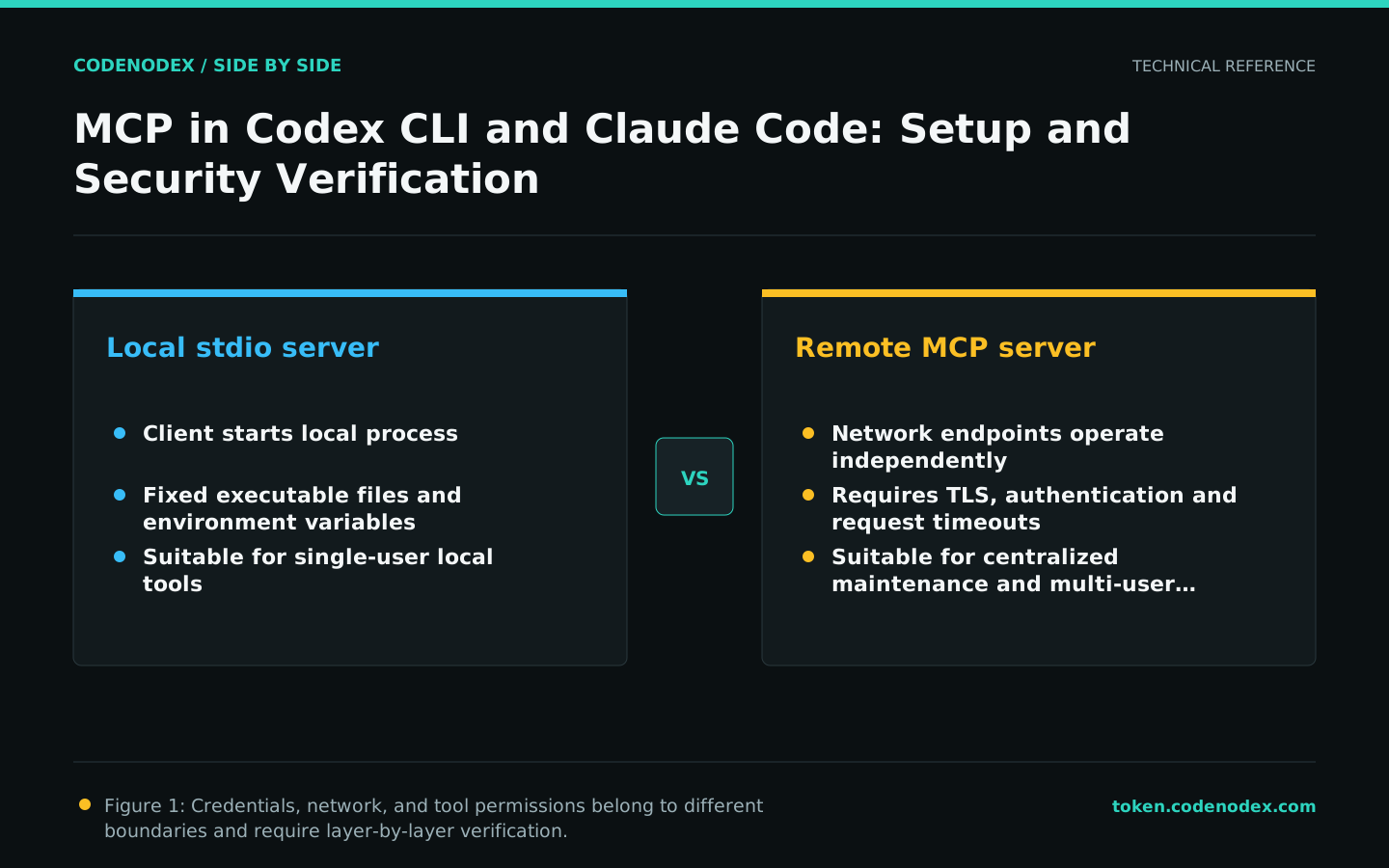
A stdio server is usually launched locally by the client and suits local tools and single-user development. A remote MCP server supports centralized maintenance but requires network authentication, timeouts, TLS and tenant isolation. Do not expose a local-only service publicly merely to make sharing easier.
Whether Codex or Claude Code launches it, a local process should use a fixed executable path, constrain inherited environment variables and set timeouts for network requests. Remote servers should use short-lived or rotatable credentials.
Different configurations, the same acceptance criteria
Codex manages MCP within its own configuration system; Claude Code manages servers through its commands and configuration scopes. Do not copy fields directly between formats. Generate a minimal configuration from each client's official documentation.
Shared configuration should contain only the server name, startup method and non-sensitive parameters. Inject API keys, access tokens and personal paths through controlled environment variables or a credential store.
Verify four layers: configuration, process, protocol and service
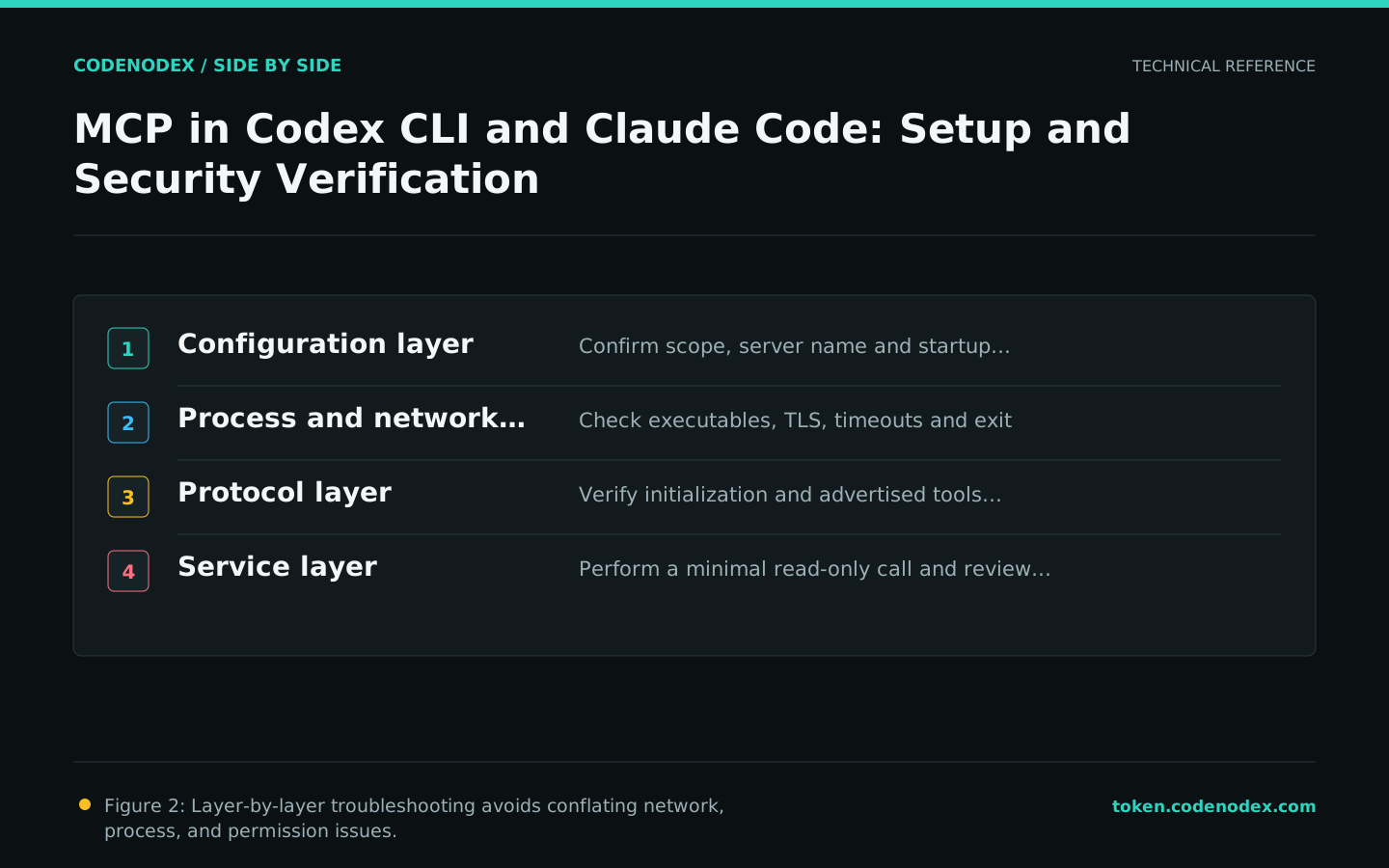
Debug from the outside in, one layer at a time. Confirm that the client loads the intended configuration, verify the process or remote endpoint is reachable, inspect the protocol handshake and capability list, then test one real service call.
- 01Configuration layerConfirm the scope, configuration file path, server name, and startup parameters.
- 02Process layerCheck the executable, PATH, exit codes, stderr, network and timeouts.
- 03Protocol layerConfirm initialization, version negotiation and retrieval of tool or resource lists.
- 04Service layerInvoke one capability with minimal read-only input and review the output and logs.
Least privilege and output governance
Enable read-only tools first, then grant write permissions only for specific tasks. The server must still authenticate requests and validate parameters; it cannot delegate every security decision to the client's confirmation dialog. Use dedicated low-privilege accounts for databases, ticketing systems and code hosts.
Logs should record call time, server, tool name, result status and request correlation, but never complete keys or sensitive responses. Limit output size and remove unnecessary personal data before it enters the model context.
Pre-launch checklist
Treat MCP as an external integration: record owners, versions, permissions, credential rotation, health checks and deactivation procedures. After upgrading a client or server, rerun the minimal call instead of assuming compatibility.
- The service source, version and verification method are traceable.
- Network requests have connection and total timeouts.
- Credentials are not entered into the repository, prompt or normal logs.
- Write operations have independent authorization and server-side verification.
- There is a process for quickly disabling servers and rotating credentials.
Official sources and verification scope
This guide is based on public official documentation. Commands and configuration may change between client versions, so verify the linked sources before use.
View documentation scope